Ergonomics Guide
Office Chair Lumbar Support: What to Look For
Workplace ergonomics consultant explains what to look for in office chair lumbar support — types, adjustability, setup, and the best lumbar support chairs in 2026.
Disclosure: This article contains affiliate links. If you purchase through our links, we may earn a commission at no extra cost to you. We only recommend products we have evaluated and believe provide genuine ergonomic value.
Office Chair Lumbar Support: What to Look For
Your lower back carries the compressive load of your entire upper body while you sit. Without proper lumbar support, that load crushes into intervertebral discs, exhausts stabiliser muscles, and builds toward chronic pain. This guide explains exactly what lumbar support does, the different types available, which adjustability features matter most, how to set it up correctly for your body, and which chairs deliver the best lumbar support at every price point in 2026.
By David Chen, Workplace Ergonomics Consultant — Last updated March 2026

Table of Contents
- What Is Lumbar Support and Why Does It Matter?
- Sitting Anatomy: Why the Lower Back Takes the Hit
- Types of Lumbar Support in Office Chairs
- Key Adjustability Features to Evaluate
- Height and Depth: The Two Adjustments That Matter Most
- Best Office Chairs With Lumbar Support in 2026
- How to Set Up Lumbar Support Correctly
- Lumbar Support for Different Body Types
- Built-In Support vs Lumbar Pillows and Cushions
- Red Flags: When Your Lumbar Support Is Failing You
- Lumbar Support Across Price Points
- Frequently Asked Questions
- Sources
What Is Lumbar Support and Why Does It Matter?
The lumbar spine consists of five vertebrae — L1 through L5 — that form a natural inward curve called lordosis. This curve is structural, not decorative. It functions as the primary shock absorber for your upper body, distributing compressive forces across the vertebral discs and facet joints while you stand, walk, and sit.
When you sit in a chair that lacks lumbar support, two problems develop simultaneously:
- The lumbar curve flattens or reverses. The pelvis tilts posteriorly, pulling the lumbar spine from its inward curve into a kyphotic C-shape. This redistributes compressive force unevenly across the anterior portion of the intervertebral discs.
- The paraspinal muscles overwork. Without structural support to maintain the curve, your erector spinae and multifidus muscles contract continuously to fight gravity. Muscles fatigue in minutes. The spine was designed to be supported by structure, not sustained muscular effort.
Lumbar support is a structural feature built into a chair's backrest that fills the gap between the inward curve of the lower back and the flat backrest surface. It does mechanically what your muscles cannot do indefinitely: it holds the lumbar spine in its natural, load-distributing position.
In 15 years of assessing workstation setups across corporate offices, home offices, and co-working spaces, I have found that lumbar support is the single feature with the most measurable impact on seated comfort and lower back pain outcomes. A $200 chair with proper lumbar support frequently outperforms a $600 chair without it.
The research supports this. A 2006 review in Ergonomics by Corlett found that lumbar support is the most significant factor in reducing seated lumbar spine loading, ahead of seat pan angle, armrest position, and backrest recline. Harrison et al. (1999) confirmed that maintaining the lordotic curve during sitting reduces both disc pressure and paraspinal muscle activity — the two primary mechanisms behind sitting-related back pain.
Sitting Anatomy: Why the Lower Back Takes the Hit
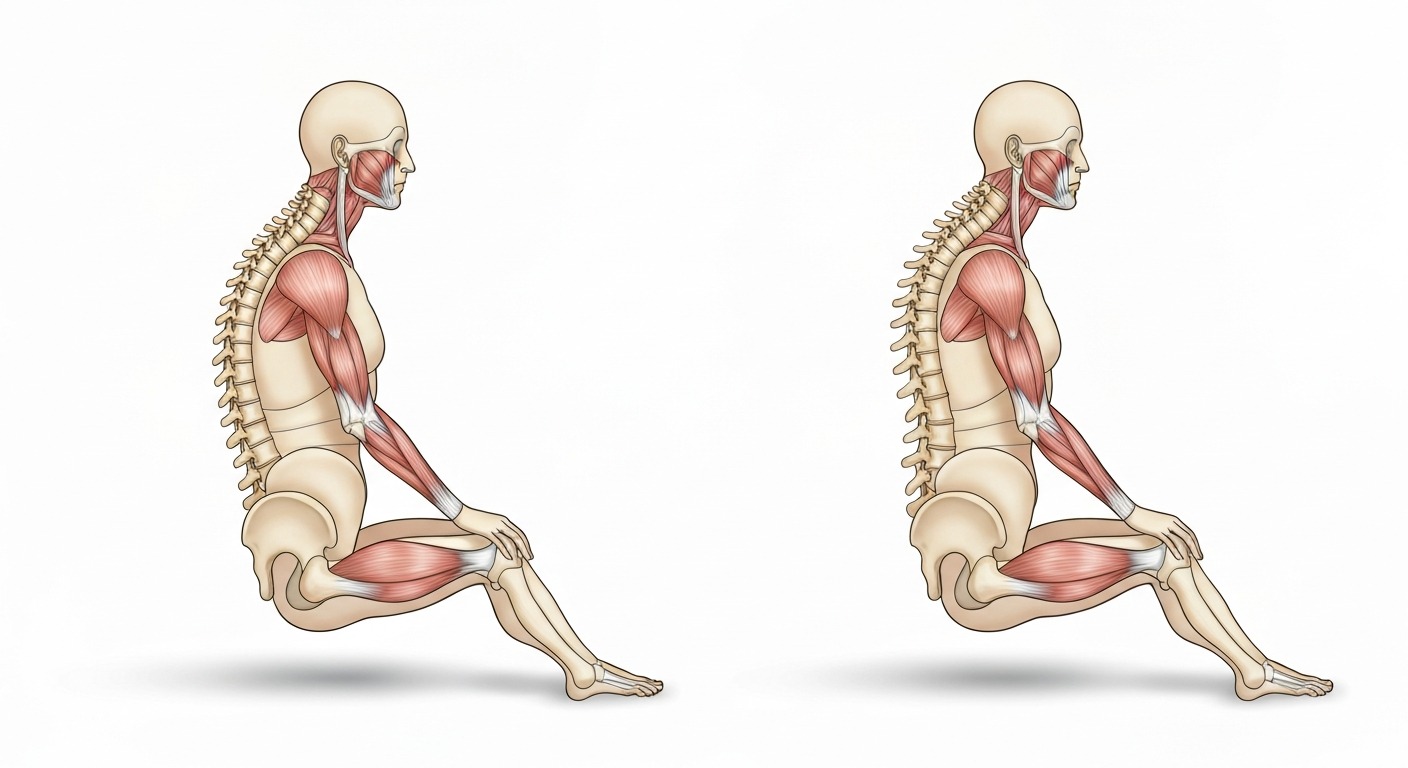
Understanding lumbar support requires knowing what happens to the spine when you sit. The biomechanics are straightforward and well-documented.
What Happens When You Sit Without Support
When standing, the lumbar spine curves naturally inward. Compressive forces distribute evenly across the entire disc surface area, and the posterior ligaments rest at their neutral length. The system is efficient and sustainable.
When you sit — especially in a chair with no lumbar support — the pelvis rotates posteriorly. This rotation:
- Flattens the lumbar lordosis, often reversing it into kyphosis
- Increases intradiscal pressure by 35–40% compared to standing (Nachemson, 1976; Wilke et al., 1999)
- Shifts compressive load to the anterior disc, where the nucleus pulposus is pushed posteriorly against the annular fibres — the mechanism behind disc bulges and herniations
- Elongates the posterior spinal ligaments beyond their resting length, causing ligament creep and eventual laxity
- Demands continuous contraction of the erector spinae to prevent complete spinal flexion
Within 20–30 minutes, most people begin to feel the effects: stiffness, fatigue, and the urge to shift position. Within hours, this becomes aching pain. Over months and years, it becomes chronic lower back dysfunction.
How Lumbar Support Changes the Equation
A properly positioned lumbar support acts as a passive structural scaffold. It holds the L3–L5 region in its natural lordotic position without requiring muscular effort. The effects are measurable and immediate:
- Intradiscal pressure drops because the curve redistributes load across the full disc surface
- Paraspinal muscle EMG activity decreases significantly (Lengsfeld et al., 2000)
- Contact pressure spreads more evenly across the backrest, reducing pressure points
- The seated posture becomes sustainable for hours rather than minutes
This is not about comfort as a luxury. It is about maintaining spinal biomechanics that prevent tissue damage during the 7–10 hours per day that the average office worker spends seated.
If you are already experiencing back pain from prolonged sitting, see our guide to the best ergonomic office chairs for back pain for chairs specifically evaluated for pain relief.
Types of Lumbar Support in Office Chairs
Not all lumbar support delivers the same results. There are four distinct categories, each with different capabilities, limitations, and appropriate use cases.
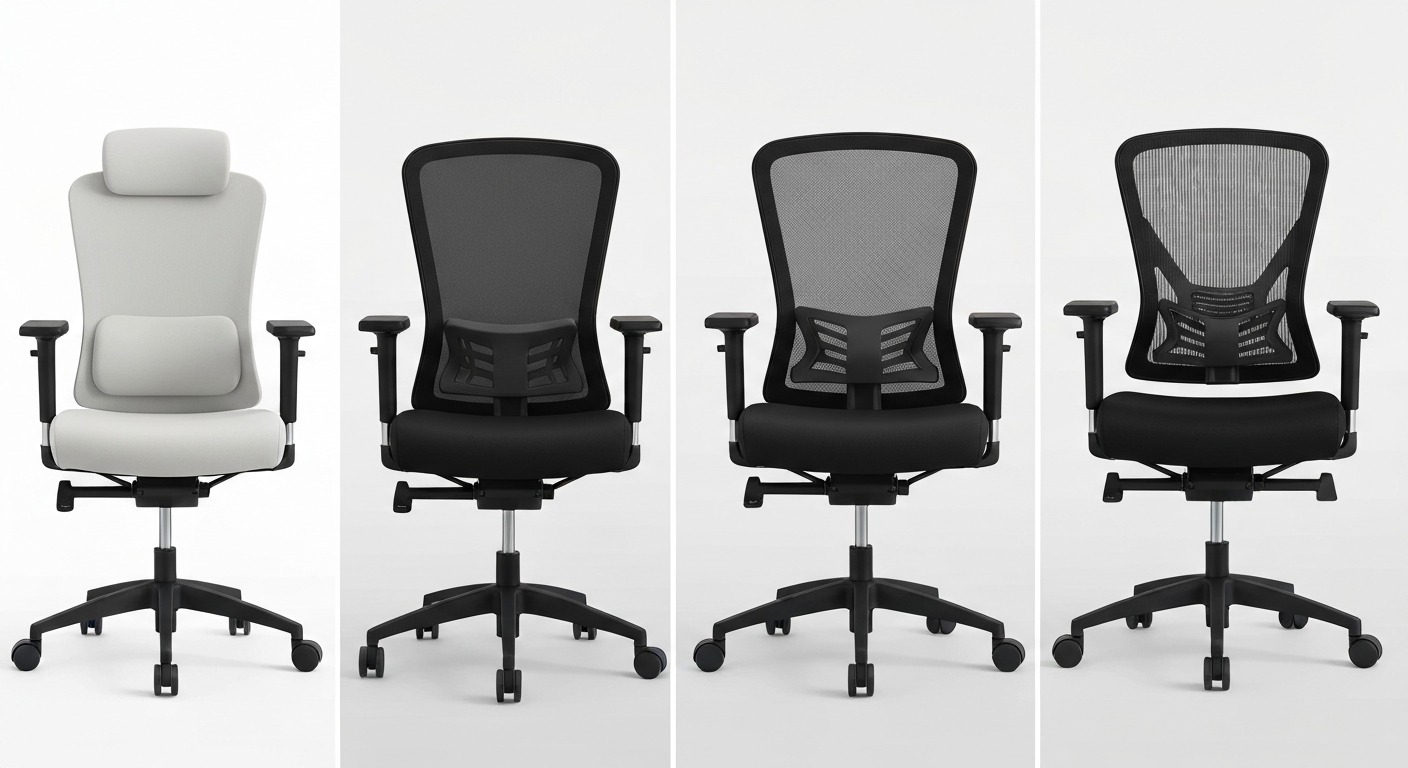
Fixed Lumbar Support
A rigid or semi-rigid protrusion moulded into the backrest at a single, non-adjustable height and depth. This is the standard on budget and entry-level chairs under $250.
How it works: The manufacturer chooses a single lumbar height and depth based on average anthropometric data and builds it permanently into the backrest structure. There are no adjustment mechanisms.
Advantages: Simple design with no moving parts to break. No setup required. Lower manufacturing cost keeps chair price down.
Limitations: Works only if your lumbar curve happens to align with the manufacturer's assumption. Because lumbar curve height varies by 5–10 cm between individuals of different torso lengths, fixed lumbar is essentially a gamble. For approximately 40–50% of users, the support contacts the wrong vertebral level.
Best for: Temporary or occasional use chairs. Conference rooms. Situations where no adjustment is preferable to no support at all.
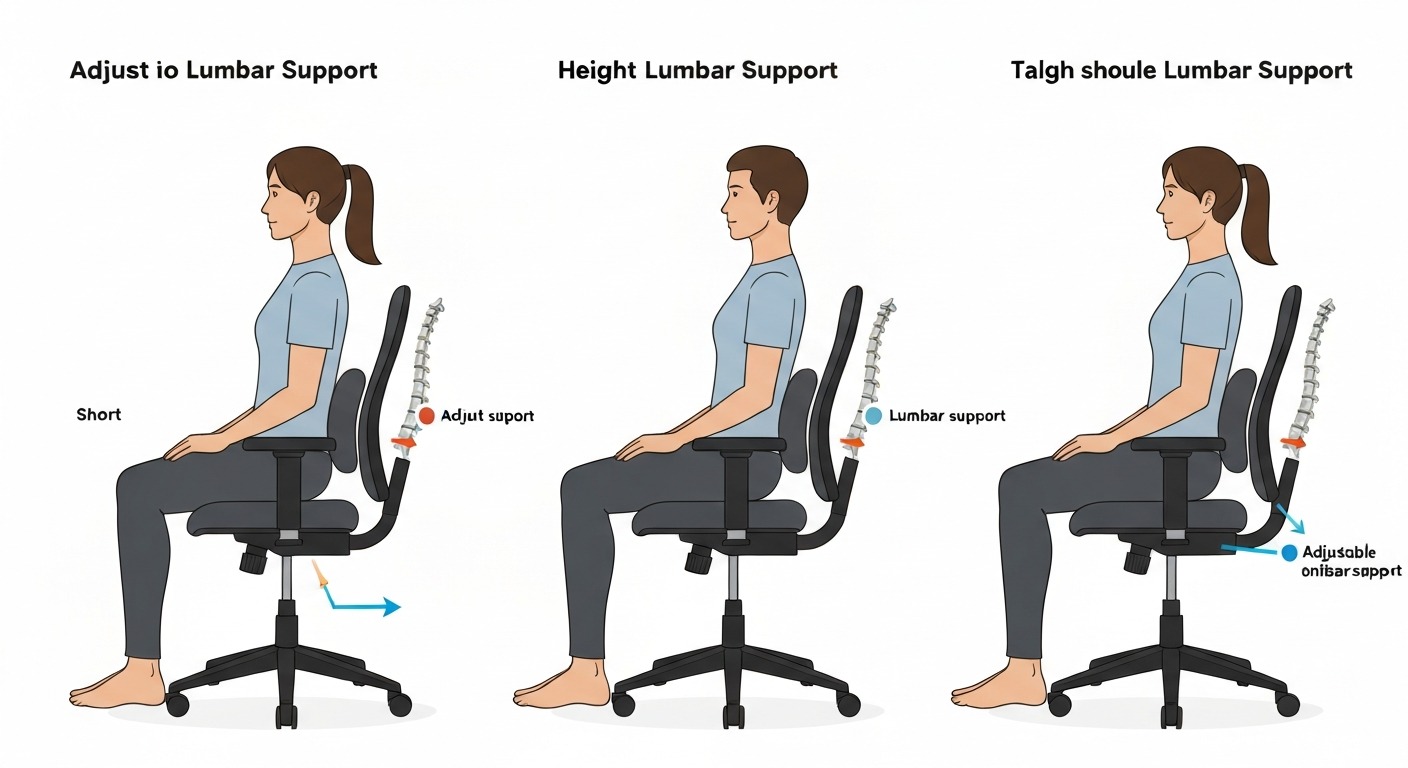
Height-Adjustable Lumbar Support
The lumbar pad or support mechanism slides vertically along the backrest, allowing the user to position it at the height that matches their lumbar curve.
How it works: A sliding rail or track system allows the lumbar element to be repositioned up or down, typically over an 8–12 cm range. The mechanism may be a manual slider, a ratchet wheel, or a tension lever.
Advantages: Accommodates different torso lengths and lumbar curve positions. Dramatically better than fixed for multi-user or shared-desk environments. Relatively inexpensive to implement.
Limitations: Only adjusts one dimension. The depth — how far the support protrudes into your back — remains fixed. This means users with a pronounced lordotic curve and those with a flatter lower back receive the same intensity of support, even though their needs are very different.
Best for: Mid-range chairs for individual users who need basic customisation. A significant step up from fixed lumbar.
Height + Depth Adjustable Lumbar Support
The most functionally complete mechanical option. The lumbar element adjusts both vertically (up/down) and in depth (how far it protrudes into the lower back).
How it works: The height mechanism works as above. Depth adjustment is typically controlled by a separate knob or dial that drives the lumbar pad forward or retracts it. Quality implementations offer 3–5 cm of depth travel with smooth, incremental control.
Advantages: Accommodates the widest range of body types, lumbar curve depths, and postural preferences. Essential for chairs that will be used 6+ hours daily or shared between multiple users. Allows the user to match both the position and the intensity of lumbar support to their anatomy.
Limitations: More expensive than height-only adjustment. Requires initial setup time — users need to understand both adjustments to benefit. More mechanical components mean slightly more potential for long-term wear.
Best for: Primary work chairs used for extended daily sitting. Anyone who has struggled with lumbar support that felt wrong despite height adjustment. Shared workstation environments.
Dynamic/Flexible Lumbar Support
Found in premium ergonomic chairs — the Herman Miller Aeron (PostureFit SL), Steelcase Leap (LiveBack technology), Haworth Fern, and similar high-end models. The backrest itself flexes and adapts to the user's spine as they move through different positions.
How it works: Rather than a discrete pad pressing against the back, the entire backrest structure is engineered to flex at different zones — conforming to the spine's natural curves in upright, reclined, and forward-leaning positions. Some systems use tensioned elastomeric materials; others use segmented backrest panels that articulate independently.
Advantages: Supports the full range of seated postures. Adapts in real-time as you shift between upright work, reclined reading, and forward-leaning focus. Eliminates the common problem of lumbar support that works in one position but fails in others.
Limitations: Premium price point — typically found only in chairs above $800. The dynamic nature means some users miss the distinct "feel" of a pronounced lumbar pad, even though the biomechanical support is superior. Less intuitive to evaluate during a brief showroom test.
Best for: All-day professional use. Users who frequently shift between postures. Anyone willing to invest in long-term spinal health rather than short-term comfort signals.
For a detailed comparison of two of the best dynamic lumbar systems on the market, see our Herman Miller Aeron vs Steelcase Leap review.
Key Adjustability Features to Evaluate
When shopping for an office chair with lumbar support, assess these specific characteristics. Not all of them are immediately obvious, and marketing materials routinely overstate support quality.
1. Vertical Adjustment Range
Height adjustment is the minimum acceptable standard for any chair used more than four hours daily. The lumbar curve sits at different heights above the seat depending on torso length — not total body height. Two people who are both 175 cm tall can have lumbar curves that differ in position by 4–6 cm based on the relative proportions of their legs and torso.
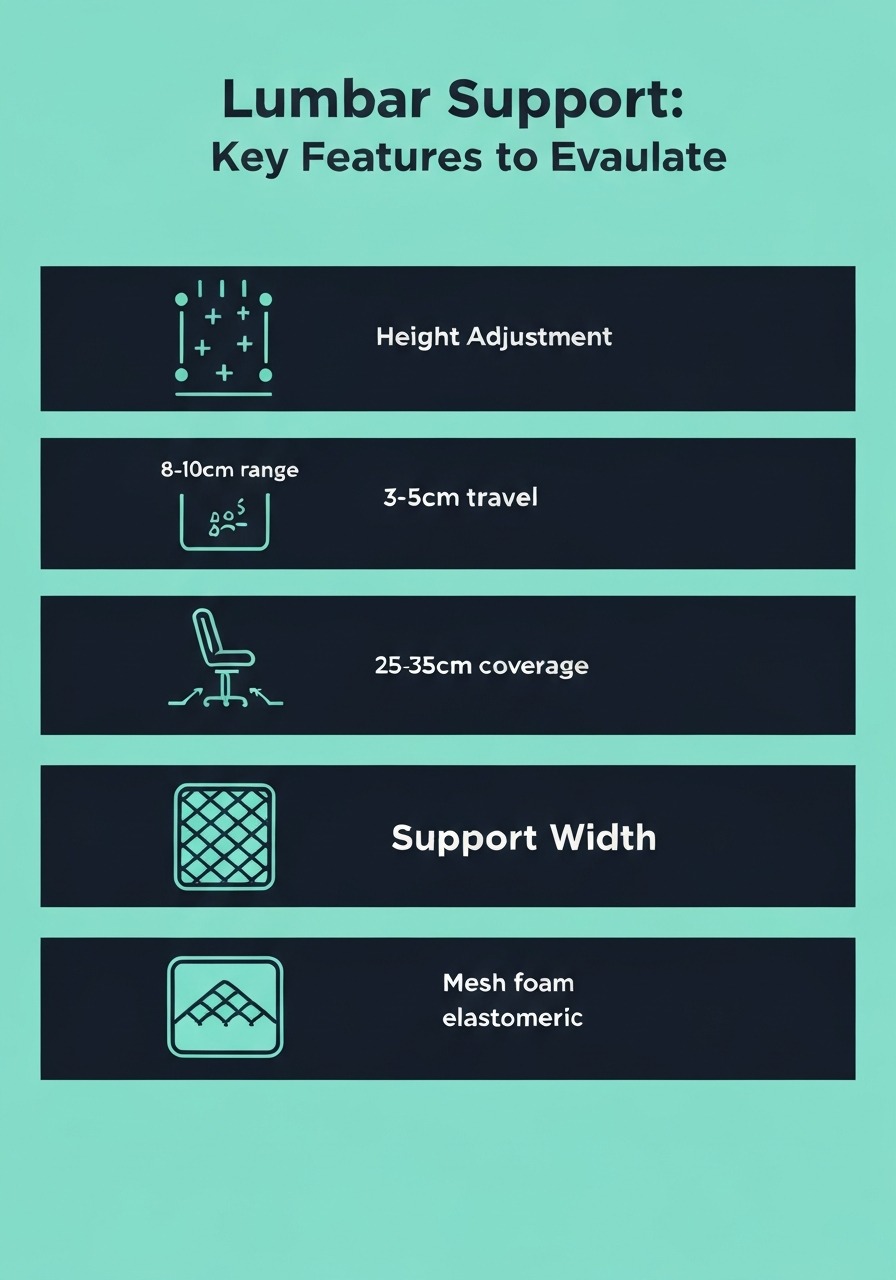
Look for at least 8–10 cm of vertical travel. This range covers the anthropometric spread for the vast majority of adults. When testing, the support should sit somewhere between 15–25 cm above the seat surface, but the exact position will vary — which is precisely why adjustment matters.
2. Depth Adjustment Travel
Depth adjustment controls how far the lumbar support protrudes into your lower back. This is the adjustment most people do not realise they need — until they try a chair that has it.
Lumbar curve depth varies enormously between individuals. Women, on average, have slightly more pronounced lumbar lordosis than men. Athletes may have different curvature than sedentary individuals. People with anterior pelvic tilt need more depth; those with posterior tilt need less.
Look for at least 3 cm of depth travel. Premium chairs offer 4–5 cm. The Steelcase Leap provides approximately 5 cm of depth adjustment — one of the widest ranges available — and it makes a noticeable difference in how many body types the chair accommodates.
3. Width of the Support Surface
Lumbar support should be wide enough to cover the full width of the lower back — typically 25–35 cm for most adults. Narrow lumbar pads (under 20 cm wide) create concentrated pressure at the edges and fail to distribute force across the full paraspinal area.
Wider support surfaces feel more natural, create fewer pressure points, and are more forgiving of minor positional errors. This is a feature that's difficult to assess from product photos — in-person testing or detailed specification reviews are the best approach.
4. Firmness and Material
The lumbar support material must be firm enough to maintain its shape under your body weight throughout the day, but not so rigid that it creates a pressure point or forces the spine into unnatural extension.
- Memory foam conforms well initially but compresses and loses support over 1–2 years of daily use
- High-density foam with structural backing provides more consistent long-term support
- Flexible mesh or tensioned fabric delivers breathable, responsive support — excellent for warm environments
- Elastomeric suspension (used in premium mesh chairs like the Aeron) provides dynamic support with the best airflow characteristics
The ideal firmness is one that you feel supporting your curve when you lean back but that does not create a specific pressure point. If you can feel a distinct ridge or edge, the material is too firm or the shape is too narrow.
5. Integration with Recline
A critical and frequently overlooked factor: does the lumbar support maintain its position relative to your back as you recline?
In many chairs, the lumbar pad is fixed to the backrest at a specific protrusion depth. When you recline, the angle between your back and the lumbar pad changes — and support that felt right at 90 degrees may feel wrong at 100 or 110 degrees.
Superior designs either have the lumbar element adjust automatically as the backrest tilts, or the depth mechanism stays engaged and tracks the backrest angle. Dynamic systems like PostureFit SL and LiveBack handle this natively.
6. Seat Depth Compatibility
Lumbar support only functions when your back is actually against the backrest. If the seat pan is too deep for your thigh length, you will perch at the front edge to avoid pressure behind the knees — and the lumbar support becomes entirely useless because your back never contacts it.
Seat depth adjustment or appropriate fixed depth is a prerequisite for lumbar support to work. Before evaluating lumbar features, confirm that you can sit fully back in the seat with 5–8 cm of clearance between the seat edge and the back of your knees.
For more on getting the full ergonomic setup right, see our how to adjust your office chair guide.
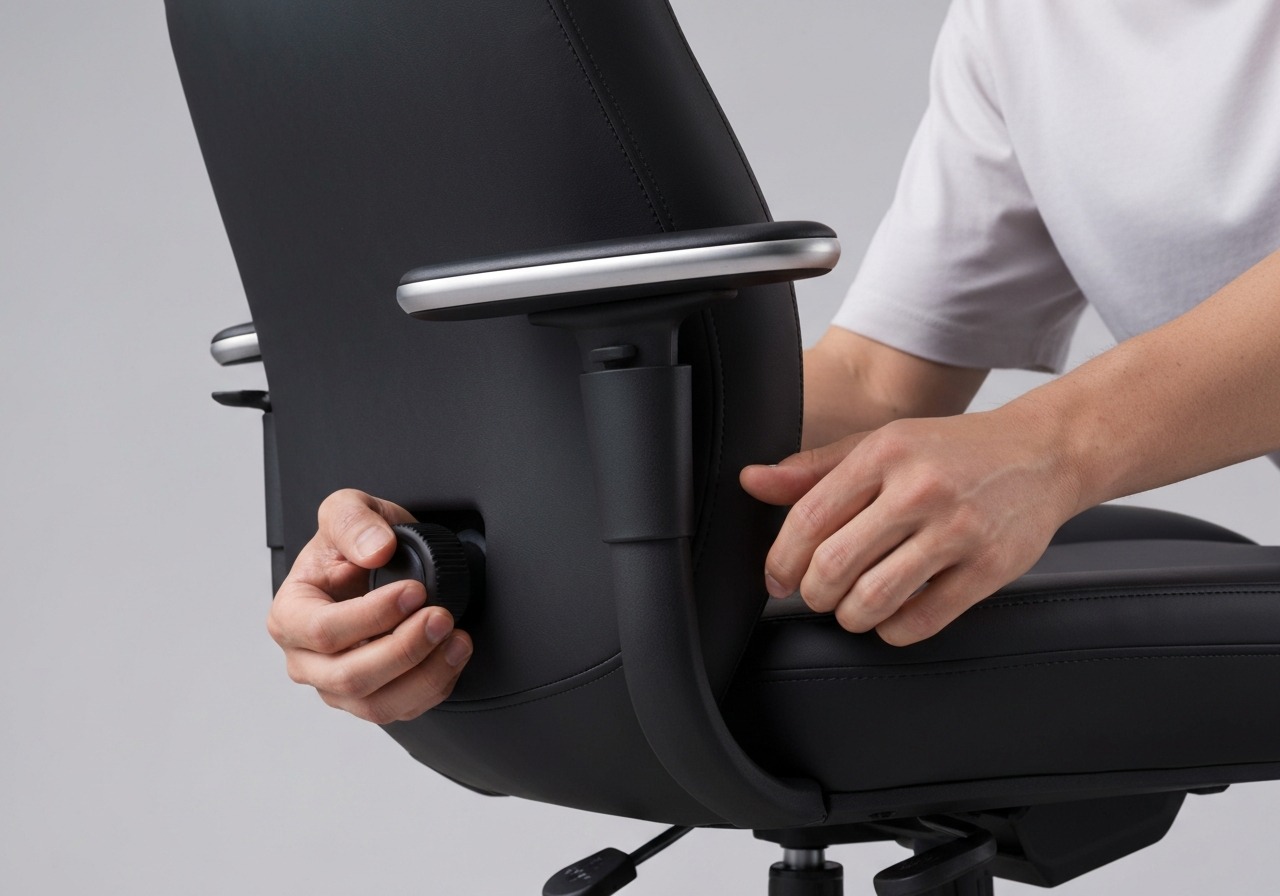
Height and Depth: The Two Adjustments That Matter Most
If there is one takeaway from this entire guide, it is this: height and depth adjustability in lumbar support matters more than any other single feature in an office chair. More than armrest type, more than mesh versus foam, more than tilt mechanism. Here is the biomechanical reasoning.
Why Height Adjustment Is Non-Negotiable
The target vertebral levels for lumbar support are L3–L5 — the apex of the lordotic curve. The height of these vertebrae above the seat surface depends on the user's torso length, which is independent of total body height.
Consider two users who are both 178 cm tall:
- User A has a long torso and shorter legs. Their L4 vertebra sits approximately 24 cm above the seat surface.
- User B has a shorter torso and longer legs. Their L4 sits approximately 18 cm above the seat.
That is a 6 cm difference between people of identical height. A fixed lumbar support set at 21 cm would be too low for User A and too high for User B. Both would experience suboptimal support — and potentially pain.
Height-adjustable lumbar should offer at least 8–10 cm of vertical travel. This covers the anthropometric range for approximately 95% of adults between 155 cm and 195 cm in height.
Why Depth Adjustment Separates Good From Great
Lumbar curve depth — how pronounced the inward curve is — varies even more than lumbar height. Research by Harrison et al. (1999) documented lumbar lordosis angles ranging from 20 degrees to over 60 degrees in healthy adults. That is a threefold variation in how much space needs to be filled between the lower back and a flat backrest.
Without depth adjustment, the chair provides a single depth of support. For users with a pronounced curve, that fixed depth may be insufficient — the gap persists, and the spine still flattens. For users with a flatter lumbar region, the same fixed depth may push the spine into excessive extension, compressing the facet joints and causing a different type of pain.
Depth adjustment resolves this by letting each user dial in exactly the right amount of protrusion. Start shallow and increase gradually until you feel even, distributed support filling the natural curve. If the support feels like it is pushing you forward or creating a pressure point, reduce the depth.
The combination of height and depth adjustment transforms lumbar support from a generic feature into a personalised biomechanical tool. This is why chairs with both adjustments consistently receive higher long-term comfort ratings in workplace assessment studies.
Best Office Chairs With Lumbar Support in 2026
After evaluating dozens of office chairs across price points — testing adjustability range, support consistency, build quality, and long-term comfort — these are the chairs that deliver the best lumbar support in 2026.

Herman Miller Aeron (Remastered)
Lumbar: PostureFit SL — dual-pad sacral + lumbar, height + depth adjustable, dynamic recline tracking
Best for: All-day sitters who want the gold standard in adaptive lumbar support
Price: $1,395–$1,795
Warranty: 12 years
Check Price on Amazon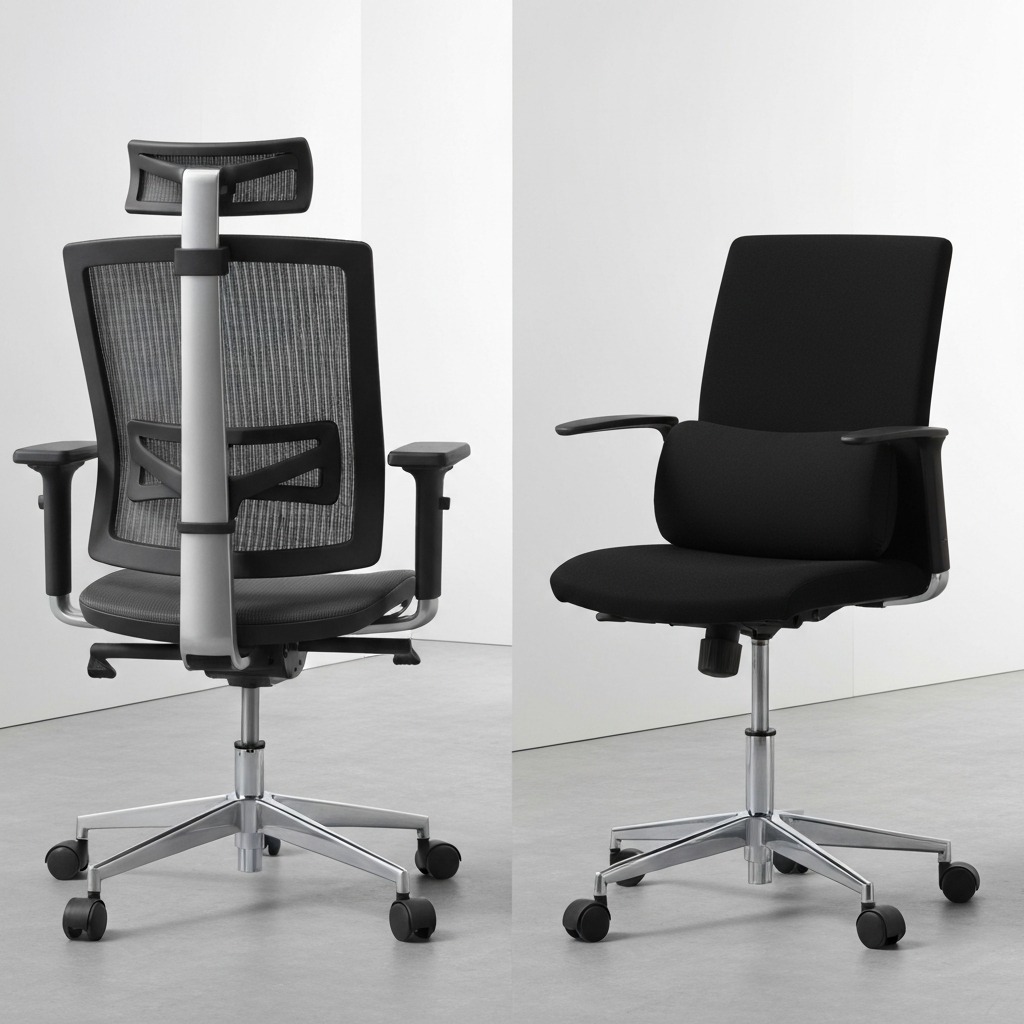
Steelcase Leap V2
Lumbar: LiveBack flexible backrest — mimics spine movement, height + depth adjustable, 5 cm depth travel
Best for: Frequent position-shifters who need support across every sitting posture
Price: $1,189–$1,599
Warranty: 12 years
Check Price on Amazon
Haworth Fern
Lumbar: Integrated flexible lumbar zone — conforms to back shape, adjustable depth, edge-to-edge support
Best for: Users wanting mesh breathability with premium lumbar performance
Price: $895–$1,395
Warranty: 12 years
Check Price on Amazon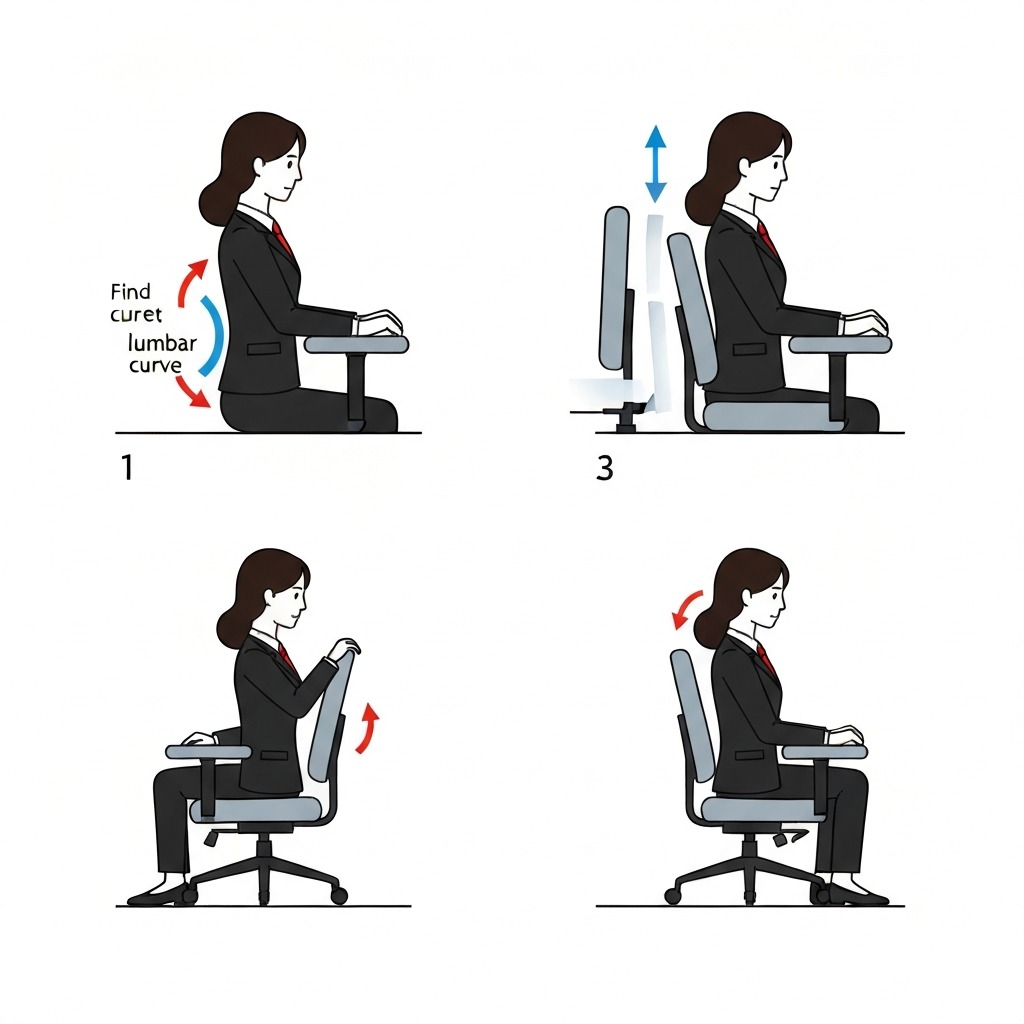
Autonomous ErgoChair Pro
Lumbar: Height + depth adjustable pad — 10 cm height range, 4 cm depth travel, woven mesh backrest
Best for: Best lumbar adjustability under $500
Price: $449–$499
Warranty: 5 years
Check Price on Amazon
Secretlab Titan Evo 2026
Lumbar: 4-way L-ADAPT — integrated height + depth with magnetic memory foam headrest, firm consistent support
Best for: Work-and-game users who want firm, reliable lumbar across long sessions
Price: $519–$649
Warranty: 5 years
Check Price on Amazon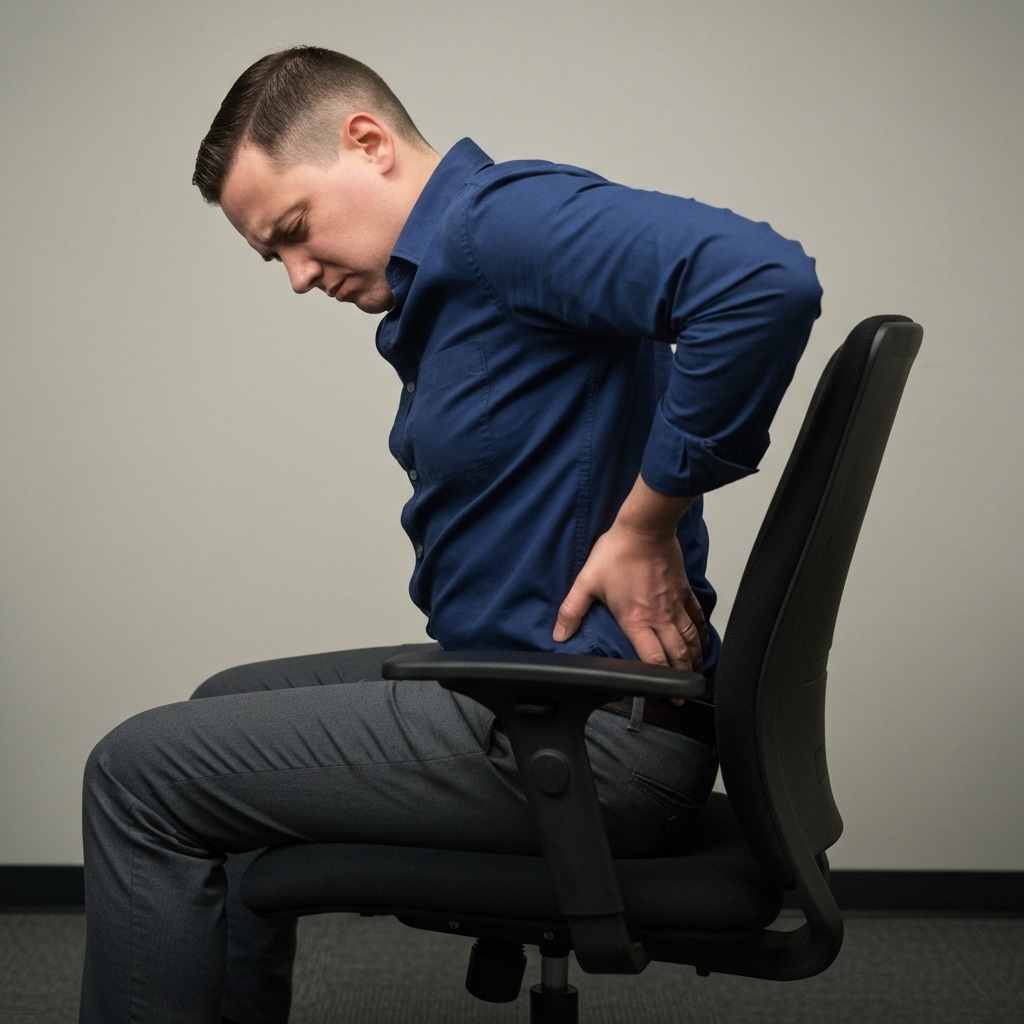
HON Ignition 2.0
Lumbar: Height-adjustable lumbar with 4-position depth — solid mid-range support for the price
Best for: Budget-conscious buyers who still need genuine lumbar adjustability
Price: $280–$380
Warranty: Lifetime frame, 5-year mechanism
Check Price on AmazonFor more affordable options with decent lumbar support, see our best office chairs under $300 roundup. And consider pairing your chair with an ergonomic mouse to pair with your chair to complete your workstation setup.
How to Set Up Lumbar Support Correctly
The best lumbar support system in the world fails if it is set incorrectly. This is the step-by-step process I walk every client through — whether they are setting up a $300 chair or a $1,500 one.
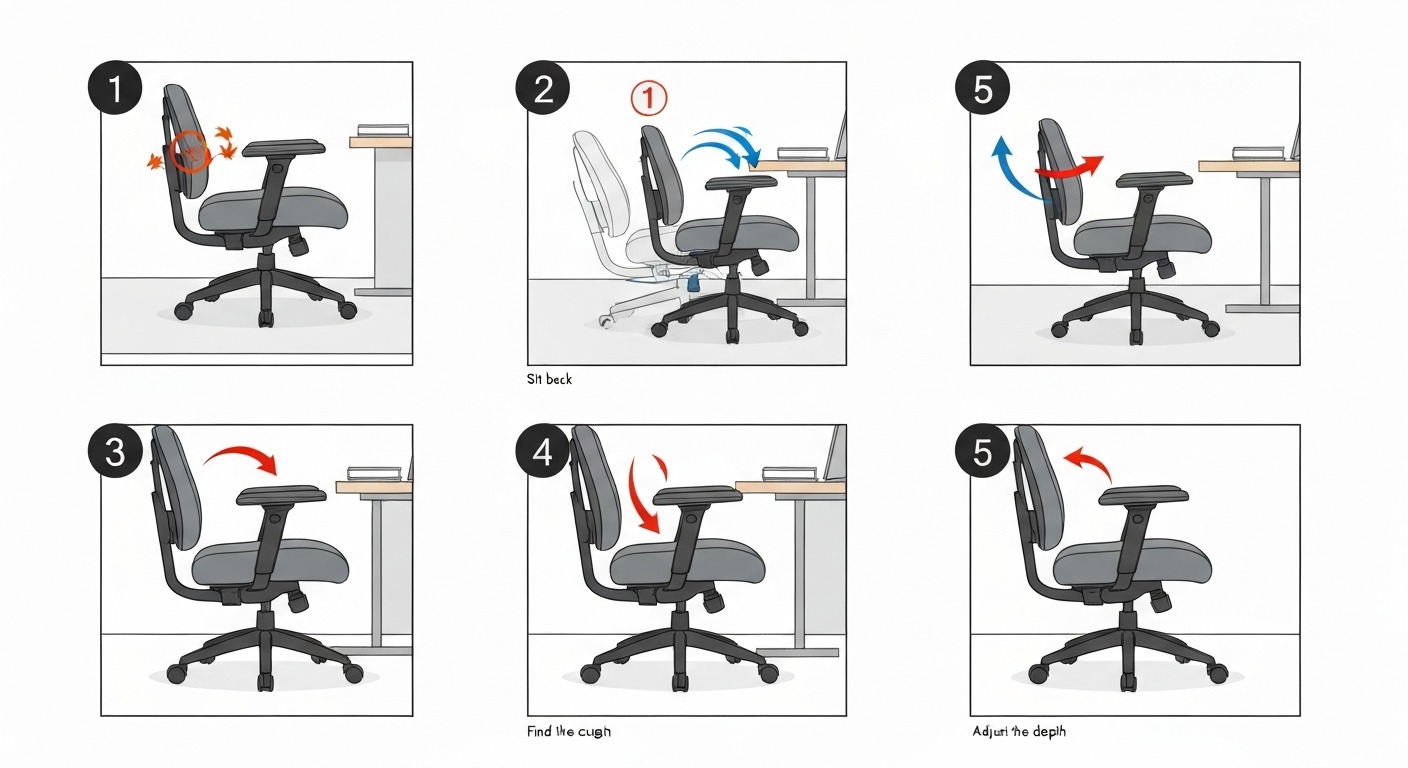
Step 1: Set Seat Height First
Before touching the lumbar adjustment, get your seat height correct. Your feet should be flat on the floor (or a footrest), thighs approximately parallel to the ground, knees at roughly 90 degrees. If seat height is wrong, your pelvis position changes, which shifts where the lumbar support needs to contact — making every subsequent adjustment inaccurate.
Step 2: Adjust Seat Depth
If your chair has seat depth adjustment, set it so there is 5–8 cm of clearance between the front edge of the seat and the back of your knees. If the seat is too deep, you physically cannot sit back far enough for the lumbar support to contact your back. This is one of the most common reasons people report that their lumbar support "doesn't work" — the seat depth prevents them from ever using it.
Step 3: Sit Fully Back in the Chair
Push your hips all the way to the back of the seat pan. Your back should make full contact with the backrest from the sacrum upward. Do not perch at the front of the seat. The lumbar support can only function when your lower back is against it.
Step 4: Locate Your Lumbar Curve
Place your hand behind your lower back while seated. Find the top of your pelvis (the iliac crest — roughly at navel level). Your lumbar curve — the inward arch — sits just above this point. This is where the lumbar support needs to make primary contact.
Step 5: Adjust Lumbar Height
Move the lumbar support up or down until it aligns with the natural inward curve of your lower back. You should feel gentle, distributed pressure across the width of your lower back. If the support presses into your mid-back (thoracic region) or your sacrum, it is at the wrong height.
For most adults, the correct position is 15–25 cm above the seat surface. Taller users with longer torsos will be toward the upper end; shorter users toward the lower end.
Step 6: Adjust Lumbar Depth (If Available)
Start with the depth at its minimum setting. Increase gradually — in small increments — until you feel light, consistent support filling the curve of your lower back. The support should feel like a gentle hand placed against your lower back, not a fist pushing you forward.
The key test: If the lumbar support makes you feel like your lower back is being pushed forward away from the backrest, the depth is too aggressive. Reduce it. Less is almost always better than more with depth adjustment.
Step 7: Test Over Time
Use the chair for at least 30 minutes at your actual working posture before making final judgements. Initial comfort impressions are unreliable — what feels "right" in the first minute may feel wrong after 20 minutes of actual work. Fine-tuning over the first 2–3 days is normal and expected.
If you find yourself leaning away from the backrest, fidgeting excessively, or developing lower back ache within the first hour, the lumbar settings need further adjustment. Revisit height first, then depth.
Lumbar Support for Different Body Types
Taller Users (185 cm and Above)
Taller users typically have longer torsos, placing the lumbar curve higher relative to the seat surface. Standard lumbar positions are often 3–5 cm too low. Look for chairs with a wide vertical adjustment range (10+ cm travel) or tall-specific models.
Recommended options: Herman Miller Aeron Size C, Steelcase Leap with extended cylinder, Haworth Fern with high-back configuration.
Common mistake: Taller users often raise the seat height to accommodate long legs, which changes the relationship between the seat and the backrest lumbar zone. If you raise the seat significantly, you may need to raise the lumbar support correspondingly.
Shorter Users (Under 163 cm)
For shorter users, lumbar support height matters less than seat depth. If the seat pan is too deep, you cannot sit back far enough for the lumbar support to contact your back — it becomes a theoretical feature rather than a functional one.
Prioritise chairs with seat depth adjustment or models with shorter seat pans. The Herman Miller Aeron Size A and Steelcase Leap (which has 7.5 cm of seat depth adjustment) are strong options.
Common mistake: Buying a chair that "has great lumbar support" but has a seat pan that is 5 cm too deep for your thigh length. The lumbar support is irrelevant if your back never reaches the backrest.
Users with Existing Back Conditions
People with disc herniations, spinal stenosis, spondylolisthesis, or chronic lower back pain should approach lumbar support with particular care. The depth setting that is comfortable for a healthy spine may be too aggressive for a compromised one.
Key considerations:
- Disc herniations (posterior): May benefit from moderate lumbar support that maintains lordosis and reduces posterior disc pressure. Start shallow and increase very gradually.
- Spinal stenosis: Extension (lordosis) can narrow the spinal canal further. These users may need less lumbar depth than average, or even a neutral backrest profile. Consult with your physiotherapist.
- Chronic non-specific lower back pain: Usually benefits from adjustable lumbar support that can be fine-tuned over time as symptoms change.
For comprehensive guidance on selecting chairs for back pain, see our guide to ergonomic office chairs for back pain.
Users with Higher Body Weight
Users above 100 kg should pay particular attention to lumbar support durability and material. Memory foam compresses more quickly under higher loads, potentially losing effective support within months rather than years. Dense foam with structural backing or mesh-based lumbar systems maintain their support profile longer under sustained higher loads.
Also ensure the chair's weight rating exceeds your weight by at least 15–20%. Structural flex in an overloaded chair changes backrest angles and lumbar contact positions.
Built-In Support vs Lumbar Pillows and Cushions
This is one of the most common questions I receive: is it better to buy a chair with built-in lumbar support, or to add a lumbar pillow to an existing chair?
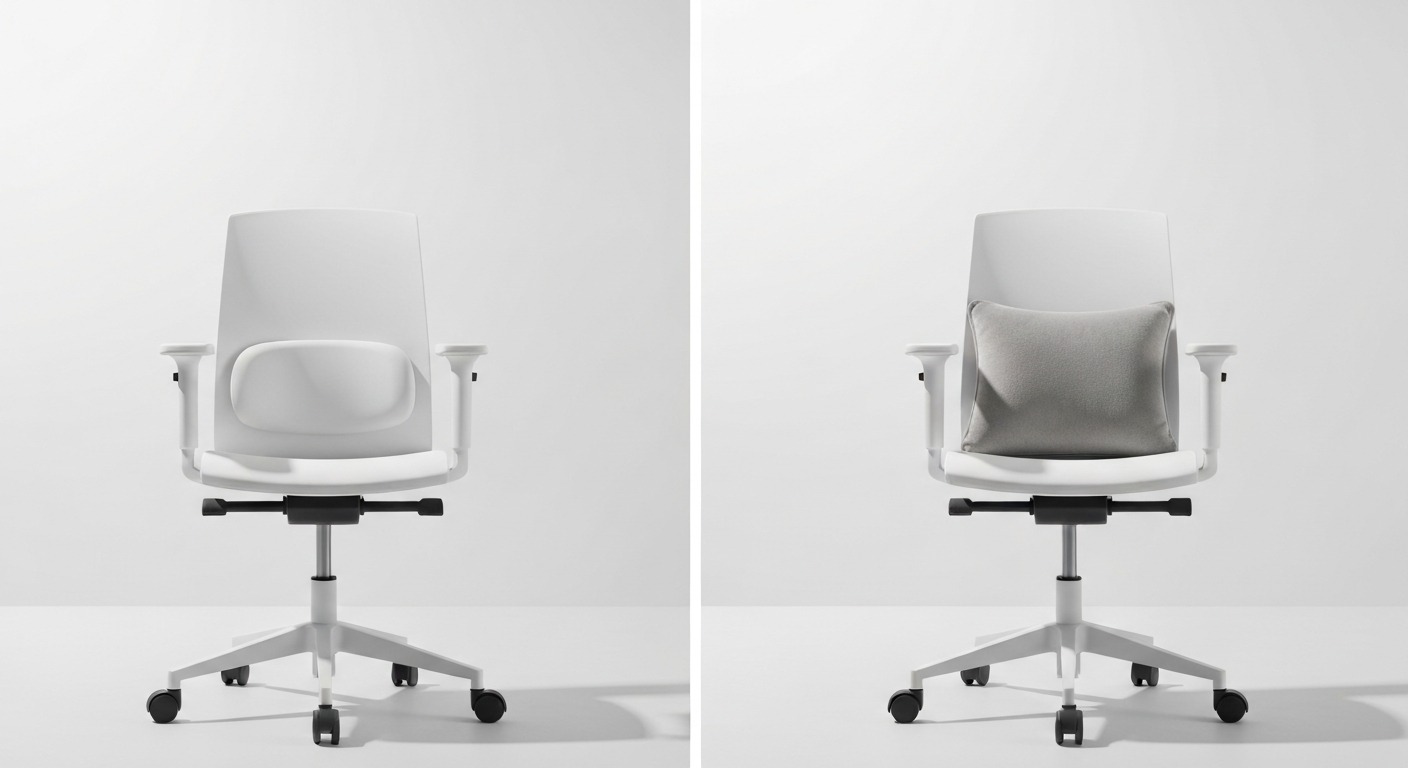
Built-In Lumbar Support
Integrated into the chair's backrest structure. With proper adjustment, provides consistent support that tracks with the backrest as you recline. The support stays in position regardless of how you shift, lean, or adjust through the day.
Advantages:
- Maintains contact through recline — the support moves with the backrest angle
- Cannot fall out, shift, or require repositioning during use
- Adjustable versions allow precise height and depth customisation
- Part of the chair's structural engineering — designed to work with the specific backrest geometry
Limitations:
- You are locked into whatever adjustment range the manufacturer provides
- If the built-in support is inadequate, replacement requires replacing the chair (or the backrest module, on some models)
Add-On Lumbar Pillows and Cushions
A separate cushion placed between your back and the chair backrest. Options range from simple foam rolls to engineered lumbar supports with adjustable straps, memory foam cores, and contoured profiles.
Advantages:
- Can improve any chair — even a dining chair used as a temporary workstation
- Portable between chairs, vehicles, and travel
- Typically less expensive than upgrading the entire chair
- Some high-quality options (like the McKenzie lumbar roll) have strong clinical evidence supporting their effectiveness
Limitations:
- Pillows shift position during use — even with straps, they migrate gradually
- They do not track backrest angle during recline. When you lean back, the pillow stays where it was while the backrest angle changes, altering the support position relative to your spine
- Cannot provide dynamic, movement-tracking support
- Some users find themselves constantly readjusting
The Verdict
For your primary work chair — the chair you sit in 4–8 hours daily — invest in built-in adjustable lumbar support. The consistency and reliability over thousands of hours of use justifies the cost.
For secondary chairs, travel, or improving a temporary setup, a quality lumbar cushion is a practical and cost-effective solution. It is significantly better than no lumbar support at all.
Red Flags: When Your Lumbar Support Is Failing You
Inadequate lumbar support does not announce itself with a single dramatic symptom. It manifests as a pattern of behaviours and sensations that build over time. Watch for these signals:

- You lean forward away from the backrest within 15–30 minutes of sitting. This is the most reliable indicator — your body is telling you the backrest is less comfortable than no backrest at all.
- Progressive lower back aching that builds throughout the day and improves within 10–15 minutes of standing.
- You perch at the front edge of the seat because the backrest feels uncomfortable or pushes in the wrong place.
- The lumbar pad contacts your mid-back rather than your lower back. This is thoracic support, not lumbar support — and it is worse than useless because it pushes the thoracic spine forward while leaving the lumbar unsupported.
- You feel a ridge, edge, or pressure point rather than even, distributed support across the full width of the lower back.
- End-of-day stiffness when standing up after sitting for more than 60 minutes — a sign that the spine has been held in a non-neutral position.
- Shoulder and neck tension that correlates with sitting time. When lumbar support fails, users often compensate by tensing their upper body to maintain some degree of upright posture.
- You have stopped using the backrest entirely — treating your office chair like a stool because leaning back feels worse than sitting unsupported.
If you recognise three or more of these patterns in your daily work routine, your lumbar support is inadequate. The solution is not to tolerate it — it is to adjust, supplement, or replace.
Lumbar Support Across Price Points
Lumbar support quality does correlate with price, but the relationship is not linear. Some price ranges offer dramatically better value than others.
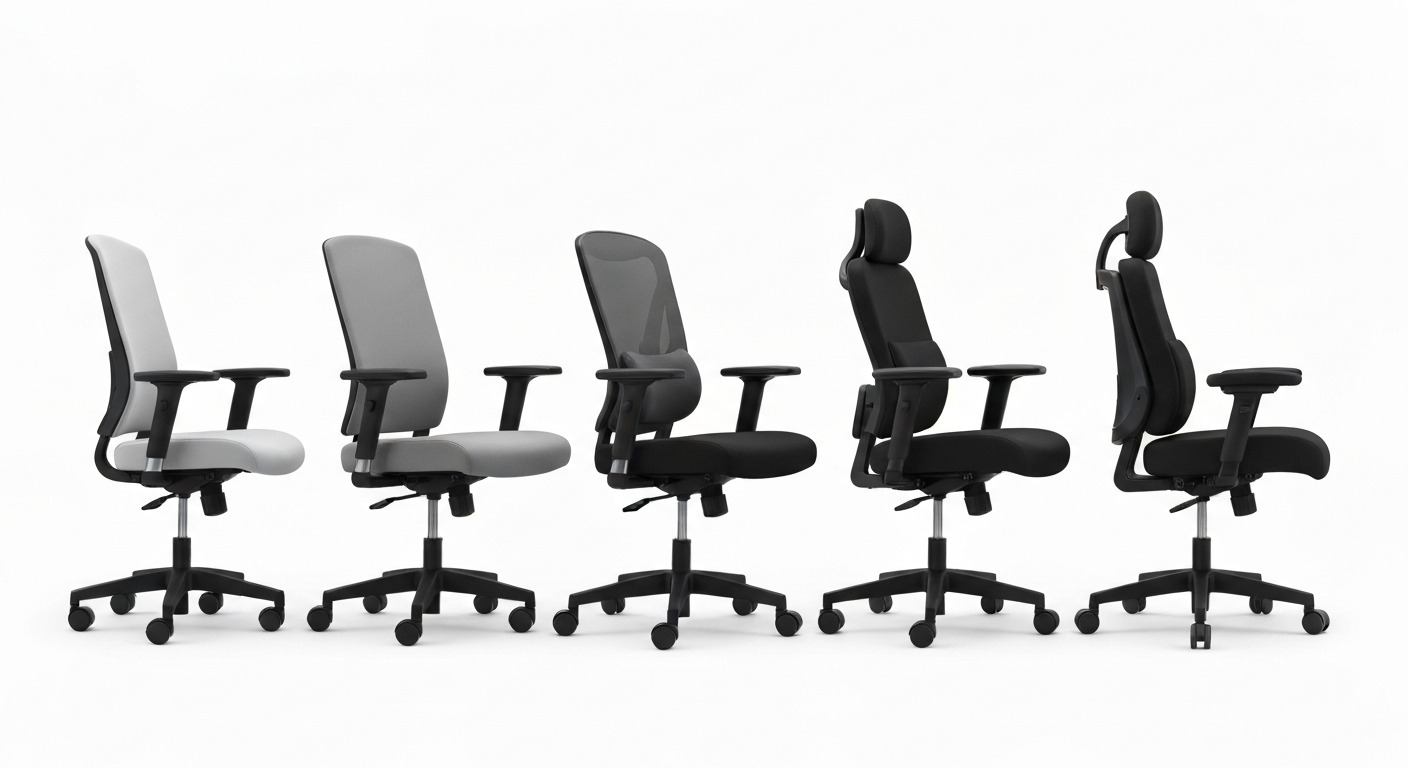
Under $200: Fixed Lumbar Territory
Most chairs in this range offer fixed, non-adjustable lumbar support. Some are surprisingly decent — the lumbar curve in the SIHOO M18 and the Hbada E3 hits the right height for average-sized users. But "average-sized" is the key limitation. If your proportions deviate from average, fixed lumbar in this range is unlikely to serve you well.
What to do if your budget is here: Buy the best chair you can afford for seat adjustability and backrest angle, then add a quality lumbar cushion ($25–$60) to compensate for fixed or absent lumbar support.
$200–$500: The Sweet Spot
This is where lumbar support transitions from cosmetic to functional. Most chairs in this range offer height-adjustable lumbar, and the better options add depth adjustment. The HON Ignition 2.0 ($280–$380) provides genuine lumbar adjustability at a price that undercuts most competitors. The Autonomous ErgoChair Pro ($449–$499) offers height + depth adjustment with a mesh backrest.
This is the minimum investment for effective lumbar support in a primary work chair. The difference between a $150 chair with fixed lumbar and a $350 chair with adjustable lumbar is larger than the difference between a $350 chair and a $1,200 chair.
$500–$800: Refined Support
Chairs in this range offer polished lumbar systems with smooth adjustment mechanisms, better material quality, and more consistent long-term support. The Secretlab Titan Evo ($519–$649) and the Branch Ergonomic Chair ($549) are strong representatives.
Lumbar support in this tier is typically height + depth adjustable with 3–4 cm of depth travel and durable construction that maintains its adjustment profile over years of daily use.
$800–$2,000+: Premium Dynamic Systems
Herman Miller, Steelcase, Haworth, and Humanscale. These chairs do not just have lumbar support — they have lumbar systems. The backrest technology is engineered to provide continuous spinal support across the full range of seated postures.
The PostureFit SL on the Aeron provides dual-pad support for both the sacrum and the lumbar region. The LiveBack on the Steelcase Leap mimics the natural movement of the spine. The Haworth Fern's flexible lumbar zone conforms to the back's shape in real-time.
At this price point, you are buying a decade-plus of reliable daily support backed by 12-year warranties and replaceable components. The cost per hour over the warranty period is often under $0.08 — less than a cup of vending machine coffee per day.
Frequently Asked Questions
What is lumbar support and why do office chairs need it?
Lumbar support is a structural feature in the lower portion of an office chair backrest that maintains the natural inward curve of the lumbar spine. Without it, seated posture causes the pelvis to tilt backward, flattening the lumbar curve and increasing disc pressure by up to 40% compared to standing. Over hours of daily sitting, this leads to muscle fatigue, disc degeneration, and chronic lower back pain. The spine needs structural support to maintain its curve — muscles cannot sustain this effort for an entire workday.
Where should lumbar support be positioned on the back?
The lumbar support should contact the natural inward curve of the lower back, between the top of the pelvis (iliac crest) and the bottom of the ribcage. For most adults, this is approximately 15 to 25 cm above the seat surface. The exact position depends on torso length, not overall body height. The support should gently fill the curve without pushing the spine into excessive extension.
Is adjustable lumbar support worth the extra cost?
Yes, especially for anyone sitting more than four hours per day. Lumbar curve height and depth vary significantly between individuals — even among people of the same height. Adjustable lumbar support (ideally both height and depth) ensures the support contacts the correct vertebral level at the right intensity for each user. Fixed lumbar only works if the manufacturer happened to match your proportions. The price difference between fixed and adjustable lumbar is typically $50–$150 — a small investment relative to the chair's total cost and the potential physiotherapy bills from inadequate support.
Can lumbar support actually cause back pain?
Incorrectly positioned lumbar support can worsen or cause back pain. If set too high, it pushes against the thoracic spine instead of the lumbar curve, forcing the thoracolumbar junction into an unnatural angle. If the depth protrudes too far, it forces excessive lordosis, compressing the posterior facet joints and potentially irritating nerve roots. Properly positioned lumbar support should feel like gentle, even filling of the natural curve — never a forceful push forward.
What is the difference between built-in lumbar support and a lumbar pillow?
Built-in lumbar support is integrated into the chair backrest and typically adjustable in height, depth, or both. A lumbar pillow is an add-on accessory strapped or placed against the chair. Built-in support is superior for daily use because it maintains position during recline and postural shifts. Pillows migrate during use and do not track backrest angle changes. For a primary work chair, invest in built-in adjustable support. For supplementing a secondary chair or travel use, a quality lumbar pillow is a practical alternative.
Conclusion
Lumbar support is not a comfort feature. It is a biomechanical requirement for sustained seated work. The difference between a chair that supports your lumbar curve and one that does not becomes apparent not in the first 10 minutes of sitting, but over the cumulative thousands of hours that define a working life.
Prioritise, in order: height + depth adjustability, adequate support width, appropriate material firmness, integration with recline, and compatibility with your seat depth. If your budget allows only one upgrade to your current setup, make it the lumbar support.
Your lower back does not get a second chance. Invest in supporting it today.
Sources
- Nachemson, A. (1976). "The Lumbar Spine: An Orthopaedic Challenge." Spine, 1(1), 59–71.
- Wilke, H.J., Neef, P., Caimi, M., Hoogland, T., & Claes, L.E. (1999). "New In Vivo Measurements of Pressures in the Intervertebral Disc in Daily Life." Spine, 24(8), 755–762.
- Corlett, E.N. (2006). "Background to Sitting at Work: Research-Based Requirements for the Design of Work Seats." Ergonomics, 49(14), 1538–1546.
- Harrison, D.D., Harrison, S.O., Croft, A.C., Harrison, D.E., & Troyanovich, S.J. (1999). "Sitting Biomechanics Part I: Review of the Literature." Journal of Manipulative and Physiological Therapeutics, 22(9), 594–609.
- Pynt, J., Higgs, J., & Mackey, M. (2001). "Seeking the Optimal Posture of the Seated Lumbar Spine." Physiotherapy Theory and Practice, 17(1), 5–21.
- Lengsfeld, M., Frank, A., van Deursen, D.L., & Griss, P. (2000). "Lumbar Spine Curvature during Office Chair Sitting." Medical Engineering & Physics, 22(9), 665–669.
- Vergara, M. & Page, A. (2002). "Relationship between Comfort and Back Posture and Mobility in Sitting-Posture." Applied Ergonomics, 33(1), 1–8.
Last updated: March 2026 Author: David Chen, Workplace Ergonomics Consultant
David Chen is a workplace ergonomics consultant with over 15 years of experience in workstation assessment, chair evaluation, and occupational health advisory. He has consulted for Fortune 500 companies, government agencies, and hundreds of home office setups, assessing over 3,000 individual workstations. His recommendations are grounded in peer-reviewed biomechanical research, real-world testing across diverse body types, and clinical outcomes data — not manufacturer marketing materials. David holds a Master's degree in Occupational Health and is a Board Certified Professional Ergonomist (BCPE).