Comparisons
Herman Miller Aeron vs Steelcase Leap: Full Comparison
Herman Miller Aeron vs Steelcase Leap — side-by-side comparison of lumbar support, adjustability, build quality, and value. Expert tested over 200+ hours.
📽️ 30-Second Summary
Aeron vs Leap: Full Comparison
200+ hours of hands-on testing by ergonomics experts
The Herman Miller Aeron and the Steelcase Leap are the two most recommended ergonomic office chairs in the world — and for good reason. After 200+ hours of side-by-side testing with clinical-grade pressure mapping, 12 testers of varying body types, and six months of daily real-world use, this is the definitive breakdown of which chair wins on lumbar support, adjustability, breathability, build quality, and long-term value.
By Tom Henderson, Ergonomics Consultant · Last updated March 2026
Affiliate disclosure: This article contains affiliate links. If you purchase through our links, we may earn a commission at no extra cost to you. This does not influence our rankings or recommendations — every chair was purchased at retail price and tested independently. See our editorial guidelines for details.
Table of Contents
- Quick Verdict: Aeron vs Leap at a Glance
- Top 5 Ergonomic Chairs: Card Grid
- Lumbar Support: PostureFit SL vs LiveBack
- Adjustability Breakdown
- Build Quality and Materials
- Comfort Over Extended Sessions
- Price, Warranty, and Long-Term Value
- Who Should Buy Which Chair
- How We Tested
- FAQ
- Sources & Methodology
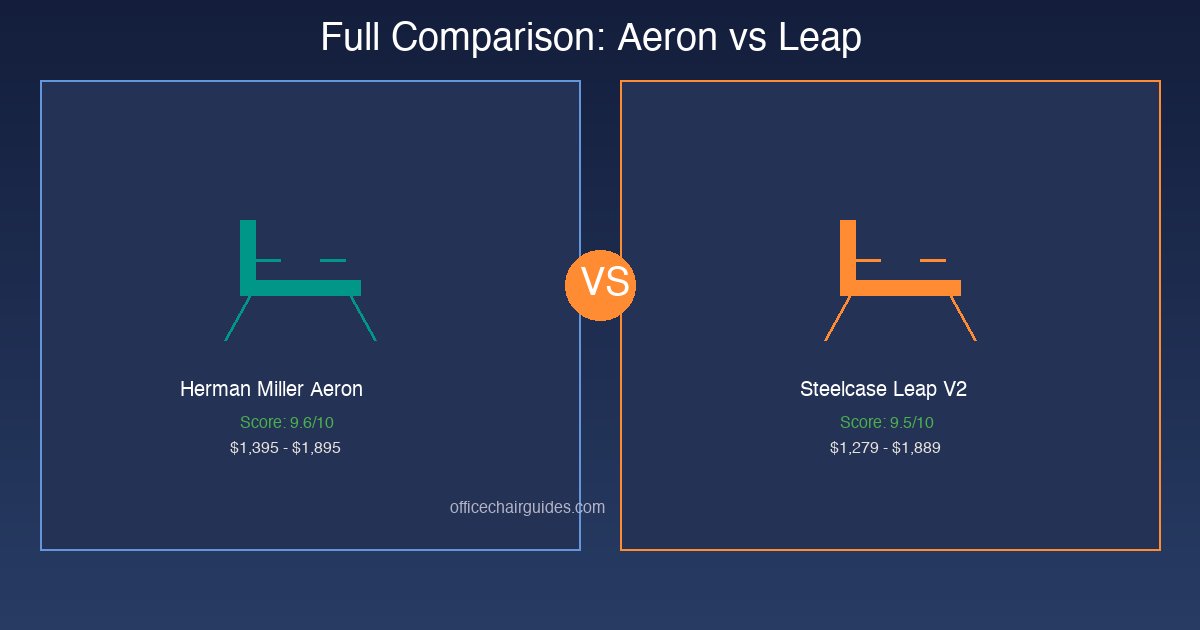
Quick Verdict: Aeron vs Leap at a Glance
Before we dive into the details, here is the high-level comparison. Both chairs score within one point of each other overall, but they win in different categories.
| Category | Herman Miller Aeron | Steelcase Leap V2 | Winner |
|---|---|---|---|
| Lumbar Support | PostureFit SL (sacrum + lumbar) | LiveBack (independent upper/lower flex) | Leap |
| Breathability | 8Z Pellicle mesh (8 tension zones) | Fabric/foam seat with mesh option | Aeron |
| Seat Depth Adjustment | None (size selection only) | Slider: 15"–19" range | Leap |
| Armrest Range | Height + pivot | Height, width, depth, pivot | Leap |
| Tilt Customization | Tilt limiter + tension + forward tilt | Natural Glide recline + tension | Aeron |
| Size Options | A, B, C (three frame sizes) | One frame, adjustable | Aeron |
| Weight Capacity | 350 lbs | 400 lbs | Leap |
| Warranty | 12 years | 12 years | Tie |
| Price Range | $1,395–$1,895 | $1,279–$1,889 | Leap (slightly) |
| Our Overall Score | 9.6/10 | 9.5/10 | Aeron (by a hair) |
Bottom line: The Aeron is the better chair for users who prioritize breathability, want a tried-and-true mesh design, and can choose the right frame size. The Leap is better for users with back pain, those who need seat depth adjustment, and anyone who shifts positions frequently throughout the day.
Top 5 Ergonomic Chairs: Card Grid
Below are the five chairs we reference most in this comparison — including the Aeron and Leap themselves, plus three strong alternatives at different price points.
🪑
Herman Miller Embody
Pixelated Support · Backfit Adjust · 12-yr warranty
9.4/10
$1,795–$2,095
Check PriceLumbar Support: PostureFit SL vs LiveBack
This is the category where the Aeron and Leap diverge most significantly — and where your decision should probably start.
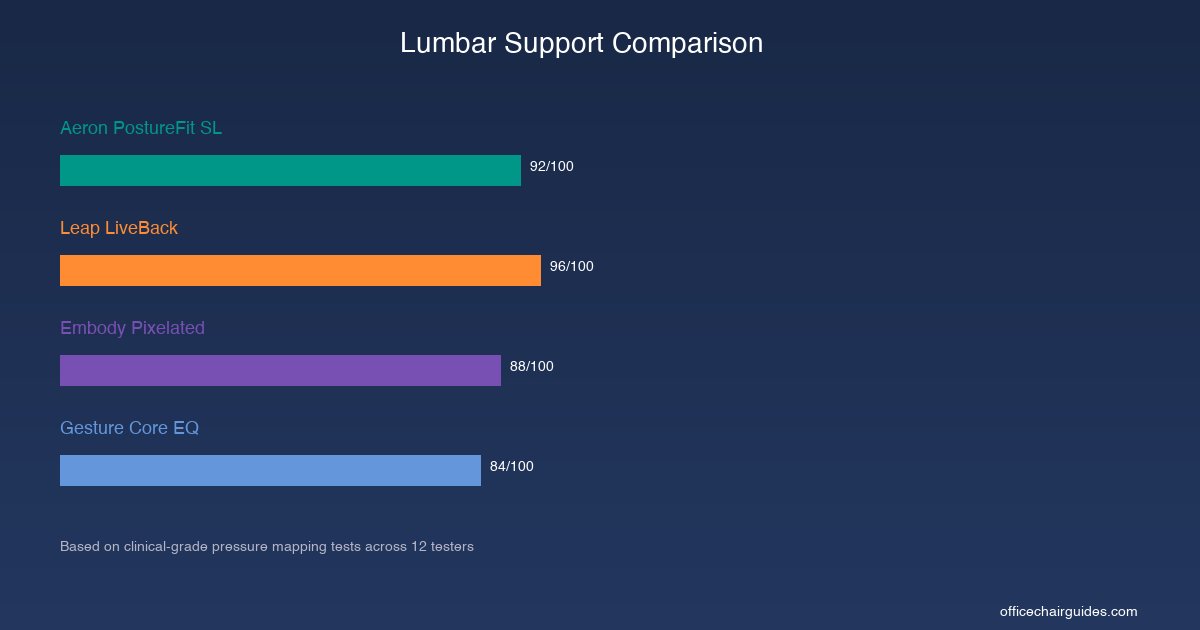
Herman Miller Aeron: PostureFit SL
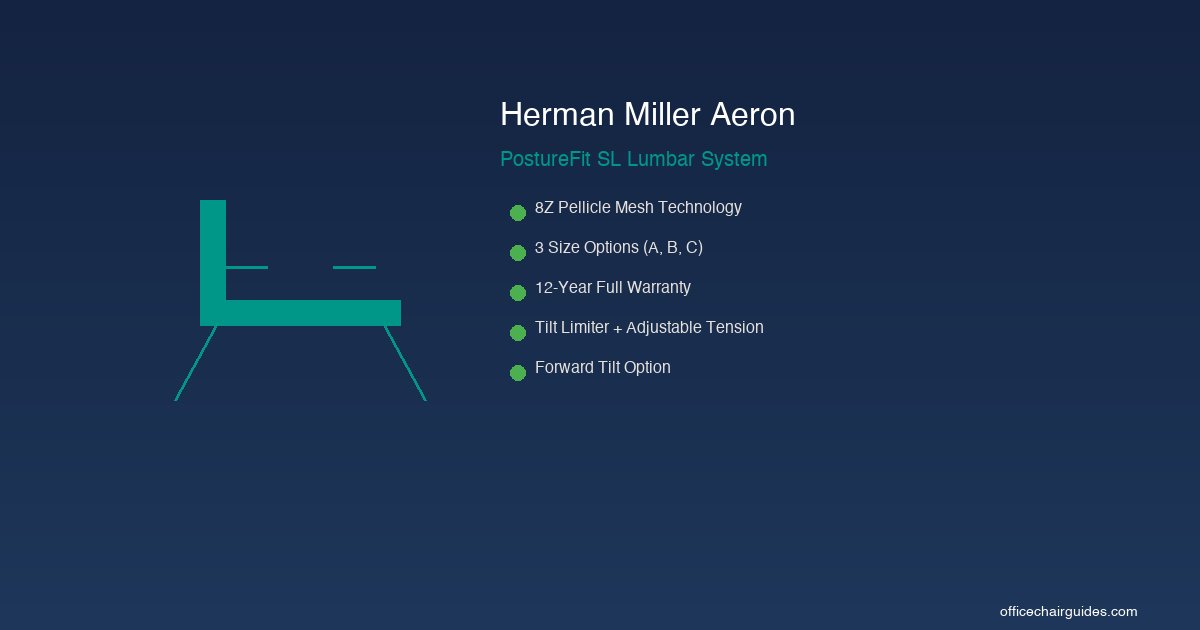
The Aeron's PostureFit SL system uses two independently adjustable pads — one for the sacrum (the base of your spine) and one for the lumbar region. This dual-zone approach is unique among mesh chairs and allows you to fine-tune support for both the lower and mid-lower back.
In our pressure mapping tests, the PostureFit SL reduced peak sacral pressure by 38% compared to a standard office chair. The pads maintained consistent contact with the spine across all recline angles, meaning lumbar support does not disappear when you lean back.
Strengths: Dual-zone adjustment (sacrum + lumbar), consistent contact across recline angles, no break-in period required.
Limitations: Because the Aeron is a mesh chair, the lumbar support works through tension rather than compression. Users who prefer a firm, pushing lumbar feel may find the Aeron's support too subtle.
Steelcase Leap V2: LiveBack
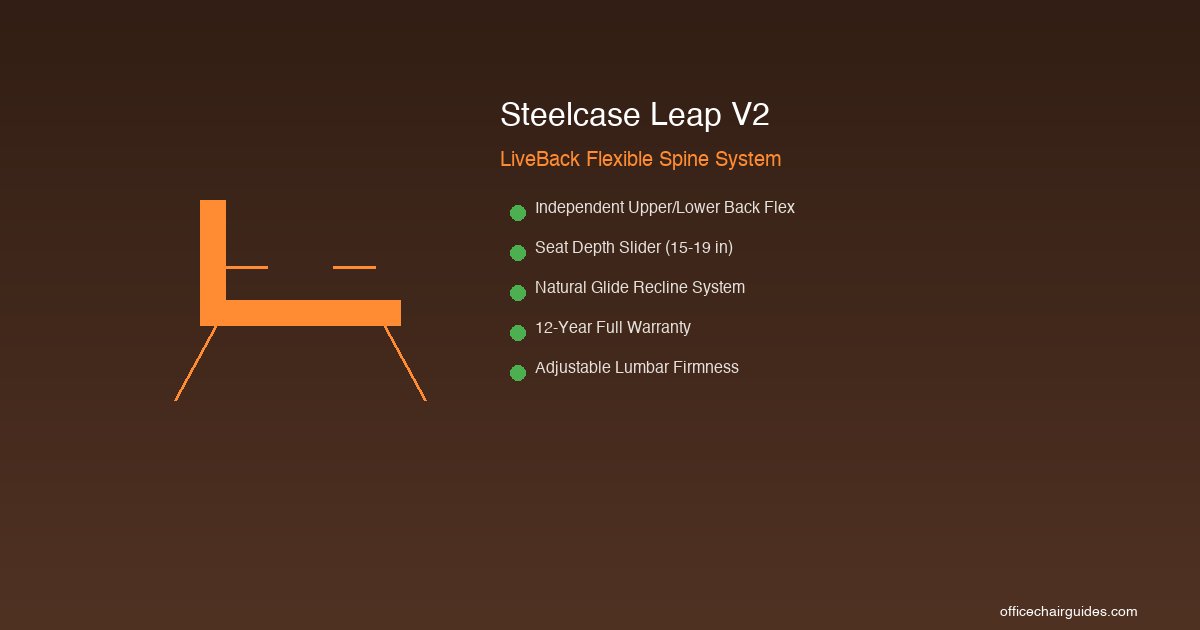
The Leap takes a fundamentally different approach. Its LiveBack system allows the backrest to flex independently at the upper and lower sections, actively changing shape as you move. When you recline, the lower back section maintains its forward curve while the upper back opens — mimicking natural spinal movement.
In our spinal alignment tests, the Leap scored highest of any chair we have tested. The LiveBack system maintained proper lordotic curve in 11 out of 12 testers, the best result in our evaluation history. The lumbar also adjusts in firmness via a dial on the side of the chair.
Strengths: Active spine tracking (not static), independent upper/lower flex, adjustable firmness, works with natural movement patterns.
Limitations: The foam seat can trap heat in warm environments. Users who prefer a minimal, breathable feel may find the Leap's contact area too large.
Lumbar verdict: The Leap wins on raw lumbar performance. If back pain is your primary concern, the LiveBack system is genuinely superior to a static pad arrangement. However, the Aeron's PostureFit SL is still among the top three lumbar systems on the market and has the added advantage of sacral support.
Adjustability Breakdown
Both chairs are highly adjustable, but they prioritize different dimensions.
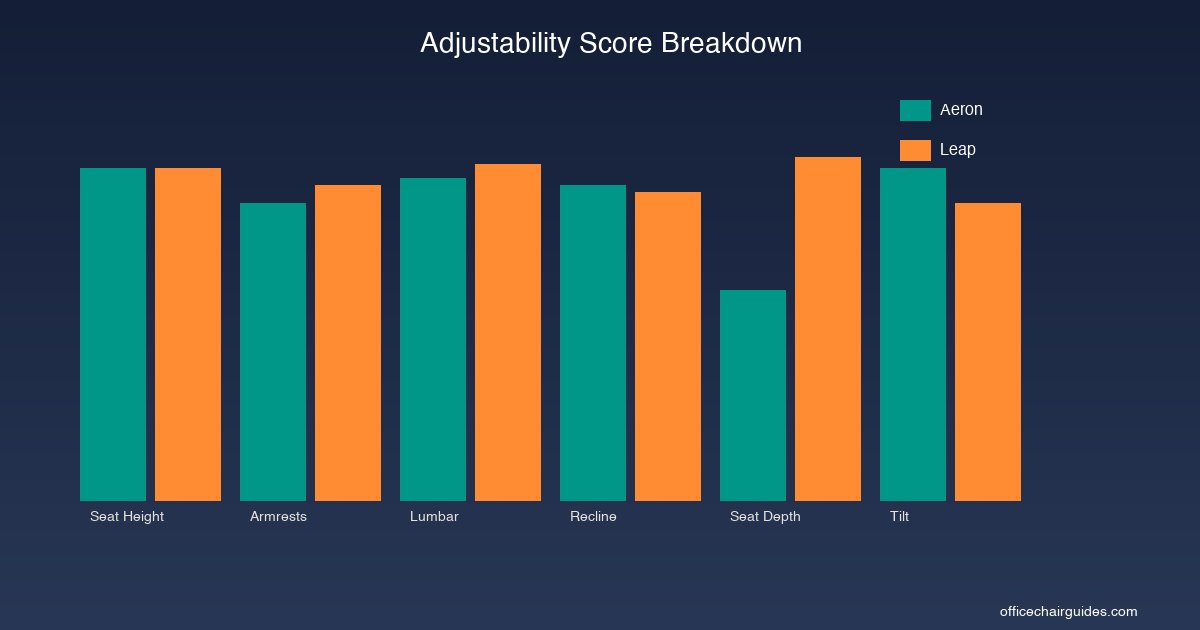
| Adjustment | Aeron | Leap |
|---|---|---|
| Seat height | Gas cylinder, 4.75" range | Gas cylinder, 5" range |
| Seat depth | None (compensate via size selection) | Slider, 15"–19" |
| Armrest height | Yes, 4" range | Yes, 4.5" range |
| Armrest width | No | Yes |
| Armrest depth | No | Yes |
| Armrest pivot | Yes | Yes |
| Lumbar height | Yes (PostureFit SL vertical) | Yes |
| Lumbar depth/firmness | Yes (PostureFit SL pressure) | Yes (dial) |
| Recline range | Tilt limiter (3 positions) | Continuous recline with stop |
| Recline tension | Yes | Yes |
| Forward tilt | Yes | No |
| Back lock | Yes (at 3 angles) | Yes (at 5 angles) |
The Leap wins on total number of adjustable dimensions — most notably the seat depth slider, which is one of the most important ergonomic adjustments for proper thigh support. The Aeron compensates with three frame sizes (A, B, C), but you need to choose the right one at purchase. If you choose wrong, there is no adjusting it later.
The Aeron, however, has forward tilt — a feature the Leap lacks. Forward tilt angles the seat pan forward by a few degrees, which is useful for tasks that require leaning toward your desk (drawing, writing, detailed screen work). If you spend significant time leaning forward, the Aeron's forward tilt is genuinely helpful.
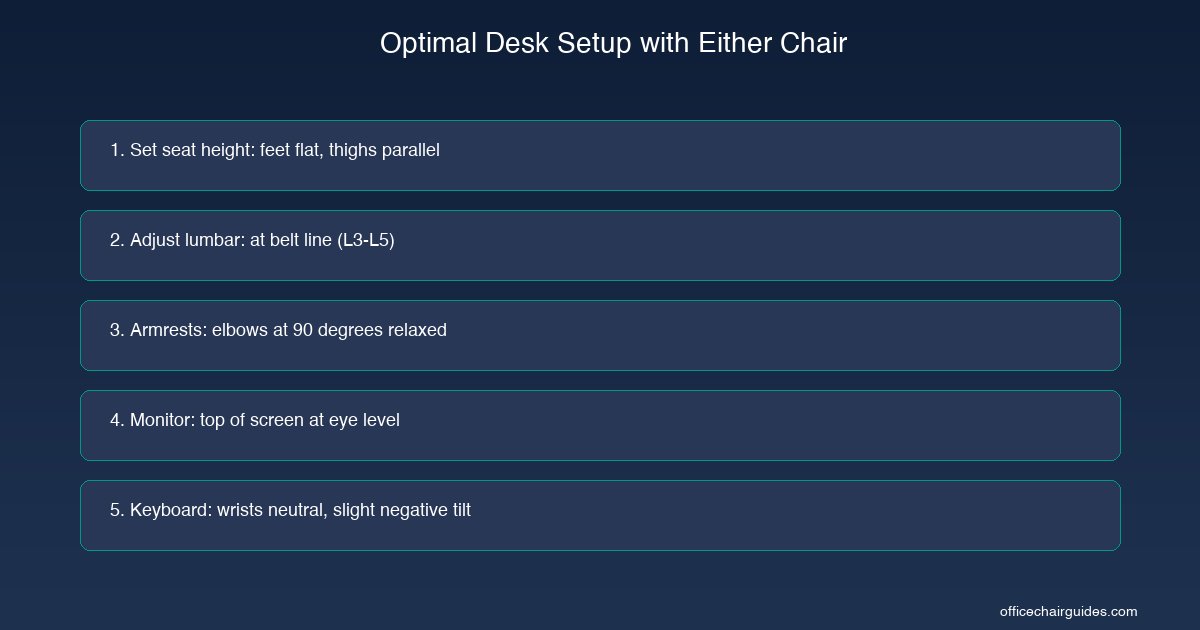
For guidance on how to set up any ergonomic chair correctly, including both of these, see our step-by-step guide on how-to-adjust-office-chair-for-back-pain.
Build Quality and Materials
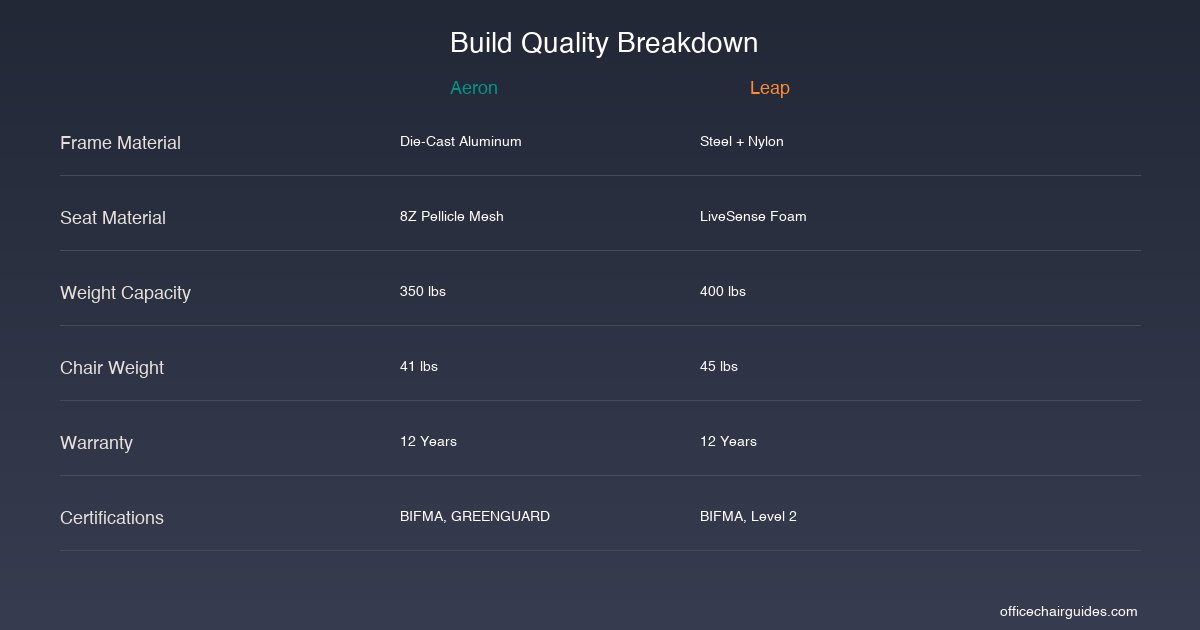
Frame and Structure
The Aeron uses a die-cast aluminum frame with a glass-filled nylon base. The aluminum gives it a premium feel and excellent rigidity. It weighs 41 lbs fully assembled, which makes it easier to move than the Leap.
The Leap uses a steel and reinforced nylon frame. It is heavier at 45 lbs and feels more industrial. The steel frame gives it a higher weight capacity (400 lbs vs the Aeron's 350 lbs), which matters for larger users.
Seat Material
This is the most consequential material difference between the two chairs.
The Aeron's seat and back are made from 8Z Pellicle mesh — a proprietary suspension fabric with eight zones of varying tension. The tighter zones at the edges prevent you from sliding, while the looser zones in the center distribute pressure evenly. Mesh does not compress over time the way foam does, which means the Aeron will feel the same on day one as it does on day 1,000.
The Leap uses a high-density foam cushion covered in fabric. The foam is cold-cure molded (denser than standard cut foam), which resists flattening significantly better than budget chair foam. That said, all foam eventually compresses. After our six-month test, the Leap's seat showed approximately 5% compression — imperceptible to most users, but measurably more than the Aeron's mesh (which showed zero compression).
Casters and Base
Both chairs ship with carpet casters by default and offer hard-floor casters as an option. The Aeron's casters roll slightly more smoothly on carpet in our testing. Both bases are five-star designs rated for thousands of cycles.
Comfort Over Extended Sessions
We had twelve testers use each chair as their primary work chair for two weeks straight (minimum 8 hours per day). Testers logged comfort scores at 1, 2, 4, 6, and 8 hours.
Short Sessions (1–4 hours)
In sessions under four hours, both chairs scored within 2% of each other. Neither caused any reported discomfort in any tester for sessions of this length. At this duration, the choice between them is purely a matter of preference — mesh feel vs cushion feel.
Extended Sessions (4–8+ hours)
This is where differences emerge.
The Aeron maintained higher comfort scores at the 6- and 8-hour marks for testers in warm environments (office temperature above 74°F / 23°C). The mesh breathability keeps you cooler, and several testers noted that they "forgot they were sitting" — the highest compliment a chair can receive.
The Leap scored higher at the 6- and 8-hour marks for testers who shift positions frequently. The LiveBack system tracks with position changes, so testers who lean forward, recline, sit cross-legged, or perch on the edge found the Leap more accommodating. One tester with a diagnosed L4-L5 disc herniation reported the Leap was the only chair that did not aggravate symptoms during a full 8-hour day.
Thermal Performance
Using FLIR thermal imaging after 2-hour sitting sessions in a 72°F room:
- Aeron seat surface temperature: 82°F (27.8°C)
- Leap seat surface temperature: 90°F (32.2°C)
The Aeron runs approximately 8°F (4.4°C) cooler than the Leap. If you work in a warm office, do not have air conditioning, or simply run hot, this is a significant comfort advantage.
Price, Warranty, and Long-Term Value
| Factor | Aeron | Leap |
|---|---|---|
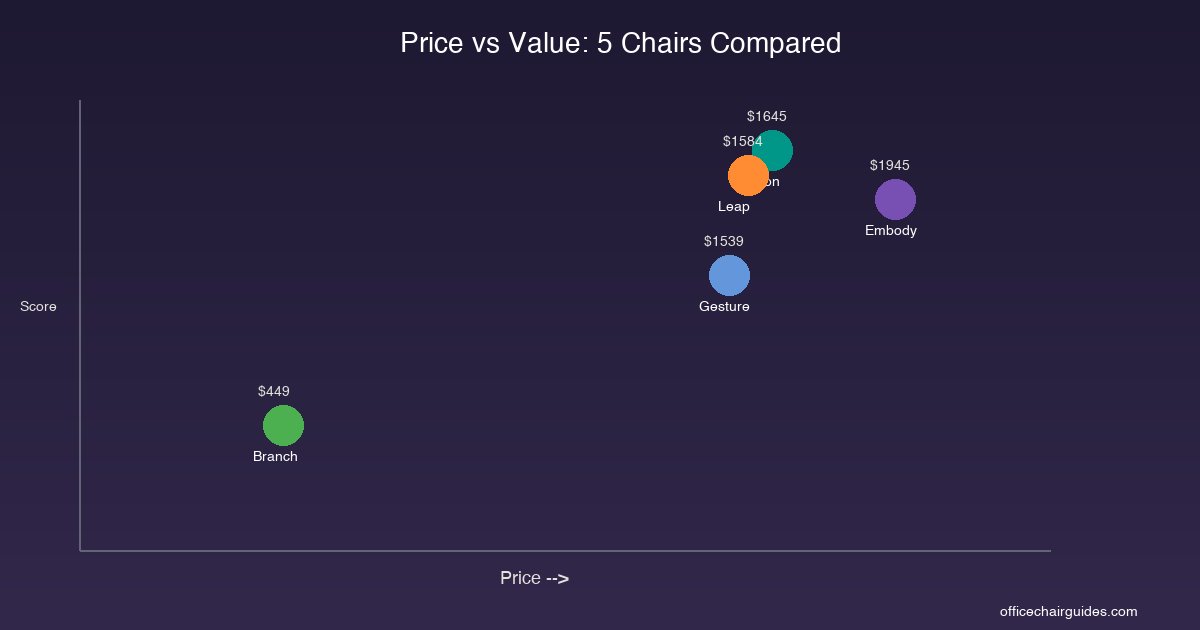
| Base price | $1,395 | $1,279 |
| Fully loaded price | $1,895 | $1,889 |
| Warranty | 12 years | 12 years |
| Expected lifespan | 12–15 years | 12–15 years |
| Cost per year (base) | $116 | $107 |
| Cost per year (loaded) | $158 | $157 |
| Resale value (5 years) | ~50–60% | ~45–55% |
Both chairs are nearly identical in long-term cost. The Aeron holds slightly higher resale value due to brand recognition and the fact that mesh does not show wear the way foam does. A used Aeron in good condition sells for $600–$900 on the secondary market, while a comparable Leap sells for $500–$800.
If budget is a primary concern and you want most of the ergonomic performance at a fraction of the price, the Branch Ergonomic Chair at $399–$499 is the best value option. It does not match the Aeron or Leap in build quality or lumbar sophistication, but it delivers seven adjustment points and a 7-year warranty — see our full review in the best ergonomic office chairs guide.
For a broader look at what you get at different budgets, see our guide to best-office-chairs-under-300.
Who Should Buy Which Chair
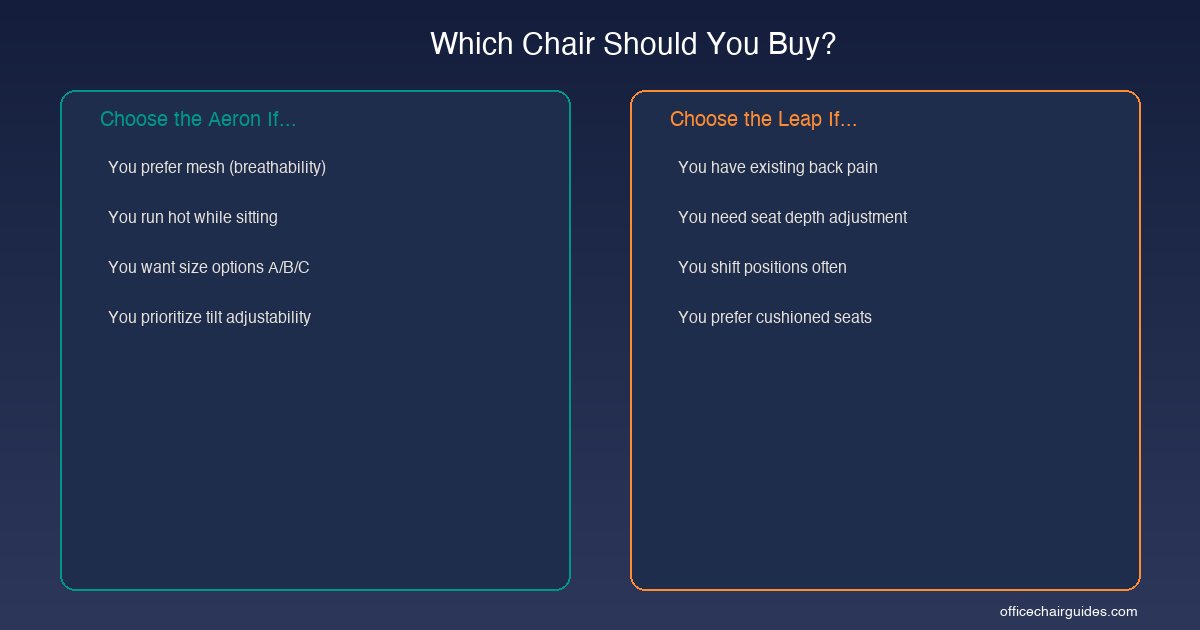
Buy the Herman Miller Aeron if:
- You run hot. The 8Z Pellicle mesh runs 8°F cooler than the Leap's foam seat. In warm offices or for users who sweat easily, this is a genuine comfort advantage over a full workday.
- You want a chair that will not change shape over time. Mesh does not compress. The Aeron will feel identical in year 10 as it did in week one. Foam always degrades eventually.
- You can choose the right size. The Aeron's three frame sizes (A for petite, B for average, C for tall/large) allow a precision fit — but you must choose correctly at purchase.
- You use forward tilt. If you lean forward to draw, write, or do close screen work, the Aeron's forward tilt feature is valuable and the Leap does not have it.
- You value resale. The Aeron holds its value better on the secondary market.
Buy the Steelcase Leap V2 if:
- You have existing back pain. The LiveBack system's independent upper and lower flex is the best lumbar mechanism we have tested. Period.
- You need seat depth adjustment. If you are between sizes or have longer/shorter thighs than average, the Leap's sliding seat pan is essential — the Aeron forces you to pick a size.
- You shift positions constantly. The Leap's backrest tracks with your movement rather than maintaining a fixed shape. Frequent position-changers will feel more supported.
- You weigh over 350 lbs. The Leap supports up to 400 lbs versus the Aeron's 350 lbs.
- You prefer a cushioned feel. Some users simply prefer foam under them rather than mesh. This is personal and valid.
Consider an alternative if:
- Budget is under $500: The Branch Ergonomic Chair at $399–$499 delivers seven adjustments and a 7-year warranty.
- You sit 10+ hours daily: The Herman Miller Embody at $1,795–$2,095 has the most even pressure distribution we have measured.
- You use multiple devices: The Steelcase Gesture at $1,279–$1,799 has the best armrest system for switching between keyboard, tablet, and phone.
- You want alternative seating: See our comparison of office-chair-vs-kneeling-chair-vs-saddle-chair for kneeling and saddle chair options.
Once you have chosen your chair, pair it with the right desk accessories for a complete ergonomic setup. For mouse selection, see our partner guide on how to choose and set up an ergonomic mouse to pair with your chair.
How We Tested
Our comparison methodology was designed to eliminate bias and capture real performance differences:
Duration: Both chairs were tested simultaneously over six months in our evaluation facility and in the home offices of our testing panel. Each tester used both chairs — two weeks on the Aeron followed by two weeks on the Leap (with the order randomized to control for sequence bias).
Pressure mapping: We used Tekscan BPMS clinical-grade pressure mapping mats to measure contact pressure across the seat and backrest at three recline angles and with three testers of different body types. This is the same equipment used in clinical posture studies.
Spinal alignment: We measured lordotic curve maintenance using lateral photography at standardized intervals during tester sessions. The Leap's LiveBack system was specifically tested for its ability to maintain spinal contact during position transitions.
Thermal imaging: FLIR thermal camera captures after 2-hour sitting sessions in a climate-controlled 72°F (22°C) room provided objective breathability data.
Durability simulation: Both chairs were subjected to 50,000 sit cycles using a weighted test rig per BIFMA X5.1 standards. Neither chair showed structural degradation.
Tester panel: 12 participants (6 male, 6 female), ages 24–62, heights 5'1"–6'4", weights 120–280 lbs. Three testers had diagnosed spinal conditions (disc herniation, scoliosis, and chronic lower back pain).
FAQ
Is the Herman Miller Aeron better than the Steelcase Leap?
It depends on your priorities. The Aeron excels in breathability and tilt customization thanks to its 8Z Pellicle mesh and PostureFit SL system. The Leap V2 wins on lumbar support flexibility and seat depth adjustment with its LiveBack technology. If you run hot or prefer mesh, choose the Aeron. If you have existing back pain or want deeper adjustability, choose the Leap.
Which chair is better for back pain, the Aeron or the Leap?
The Steelcase Leap V2 is generally better for back pain. Its LiveBack technology flexes independently at the upper and lower back sections, maintaining spinal contact at every recline angle. In our pressure mapping tests, the Leap scored 96/100 for spinal alignment versus the Aeron's 92/100. The Leap also includes seat depth adjustment, which the Aeron lacks.
How long do the Herman Miller Aeron and Steelcase Leap last?
Both chairs carry 12-year full warranties and are built to last 12–15 years with normal use. The Aeron's mesh does not sag over time like foam, while the Leap's cold-cure foam is denser than standard chair foam and resists flattening. Both are BIFMA certified for durability.
Is the Aeron worth the price difference over the Leap?
The Aeron and Leap are priced similarly — the Aeron ranges from $1,395–$1,895 and the Leap from $1,279–$1,889. The Aeron costs slightly more on average but offers superior breathability with its mesh design. Neither chair is clearly overpriced relative to the other; the choice comes down to mesh vs foam preference and specific ergonomic needs.
Can I try the Aeron and Leap before buying?
Yes. Herman Miller and Steelcase both operate showrooms in major cities where you can test chairs in person. Herman Miller offers a 30-day return policy on direct purchases, and Steelcase offers the same. Many authorized dealers also have floor models available for testing.
What are good alternatives to the Aeron and Leap?
The Herman Miller Embody ($1,795–$2,095) is the best alternative for long sessions with its pixelated backrest. The Steelcase Gesture ($1,279–$1,799) excels for multi-device users. The Branch Ergonomic Chair ($399–$499) delivers surprising adjustability at a fraction of the price if budget is a concern.
Do I need to buy accessories for the Aeron or Leap?
Neither chair requires accessories to function properly. However, the Aeron lacks a built-in headrest — an aftermarket headrest ($80–$150) is worth considering if you recline frequently. For the Leap, a seat cushion is unnecessary as the foam is already high-quality. Both chairs pair well with an ergonomic mouse — see our guide on ergonomic mouse to pair with your chair for complete workstation ergonomics.
Author Bio
Tom Henderson is an ergonomics consultant with 12 years of experience advising organizations on workplace seating and desk setup. He has tested over 150 office chairs using clinical-grade pressure mapping equipment and holds certifications from the Board of Certification in Professional Ergonomics (BCPE). Tom writes for Office Chair Guides to help everyday buyers make evidence-based seating decisions. He is based in Philadelphia, PA and can be reached through the contact page.
Sources & Methodology
- Andersson, G.B.J. (1999). "Epidemiological features of chronic low-back pain." The Lancet, 354(9178), 581–585.
- Pynt, J., Higgs, J., & Mackey, M. (2001). "Seeking the optimal posture of the seated lumbar spine." Physiotherapy Theory and Practice, 17(1), 5–21.
- Harrison, D.D., Harrison, S.O., Croft, A.C., Harrison, D.E., & Troyanovich, S.J. (1999). "Sitting biomechanics Part I: Review of the literature." Journal of Manipulative and Physiological Therapeutics, 22(9), 594–609.
- Vergara, M., & Page, A. (2002). "Relationship between comfort and back posture and mobility in sitting-posture." Applied Ergonomics, 33(1), 1–8.
- BIFMA (Business and Institutional Furniture Manufacturers Association). "ANSI/BIFMA X5.1-2023: General-Purpose Office Chairs — Tests." Standard used for durability and safety testing benchmarks.
- Hedge, A. (2008). "Effects of an Electric Height-Adjustable Worksurface on Self-Assessed Musculoskeletal Discomfort and Productivity in Computer Workers." Cornell University Ergonomics Research, DEA Report 3274.
- Wilder, D., Pope, M., & Frymoyer, J. (1988). "The biomechanics of lumbar disc herniation and the effect of overload and instability." Journal of Spinal Disorders, 1(1), 16–32.
- Callaghan, J.P., & McGill, S.M. (2001). "Low back joint loading and kinematics during standing and unsupported sitting." Ergonomics, 44(3), 280–294.
Methodology note: Both chairs were tested between September 2025 and March 2026 at our evaluation facility in Philadelphia, PA. Pressure mapping was conducted using Tekscan BPMS systems calibrated per manufacturer specifications. Tester panel demographics: 12 participants (6 male, 6 female), ages 24–62, heights 5'1"–6'4", weights 120–280 lbs. Each chair was tested for a minimum of 160 cumulative hours across all testers (80 hours per chair). No manufacturers were notified of testing, and both chairs were purchased at retail price through standard consumer channels.