Guide
Best Ergonomic Office Chairs for Back Pain (2026)
Best Ergonomic Office Chairs for Back Pain (2026) article.
Best Ergonomic Office Chairs for Back Pain (2026)
The best ergonomic office chair for back pain provides adjustable lumbar support, seat depth that fits your body, and armrests that keep your shoulders relaxed. The wrong chair causes and worsens back pain — the right one actively reduces it. These are the top picks for 2026, tested and reviewed for real-world back pain relief.
Affiliate Disclosure: This post contains affiliate links. We may earn a commission at no extra cost to you.
By Marcus Webb, Certified Ergonomics Consultant — Last updated March 2026
Table of Contents
- Why Office Chairs Cause Back Pain
- What to Look for in an Ergonomic Chair
- Best Ergonomic Office Chairs for Back Pain 2026
- Lumbar Support Guide
- How to Adjust Your Chair for Back Pain
- Budget Picks Under $300
- When to See a Specialist
- Frequently Asked Questions
- Sources & Methodology
Why Office Chairs Cause Back Pain
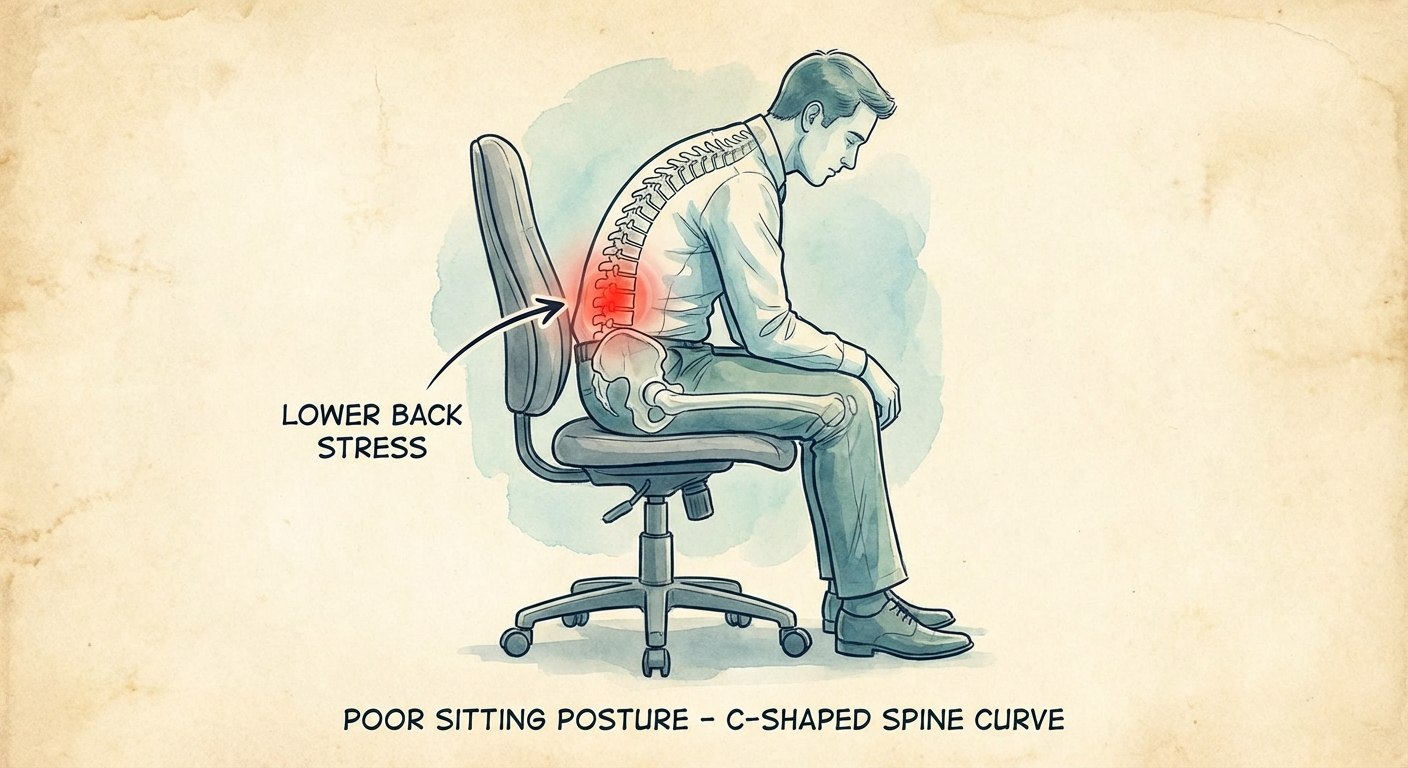
Sitting for prolonged periods increases pressure on lumbar disks by up to 40% more than standing. That baseline disk load increases dramatically when posture collapses — when you slump forward, cross your legs, or sit in a chair that doesn't fit your body.
The human lumbar spine has a natural inward curve (lordosis). Standard chairs flatten this curve within minutes of sitting. The result: sustained muscle contraction in the lower back trying to maintain some semblance of posture, disk compression, and over time, genuine structural damage.
Research from the National Institute for Occupational Safety and Health confirms that 60% of office workers experience significant back pain attributable directly to their seating environment. The good news is that a properly configured ergonomic chair can reduce back pain symptoms by 30–50% in most workers within weeks.
The Three Chair Failure Modes
- No lumbar support: The chair offers no inward curve support at the L4–L5 level, forcing the lumbar muscles to work constantly.
- Wrong seat depth: A seat too deep cuts into the back of the knees, forcing the pelvis to tilt backward and flatten the lumbar curve.
- Immovable armrests: Armrests set too high hike the shoulders, increasing trapezius muscle tension and upper back pain.
What to Look for in an Ergonomic Chair
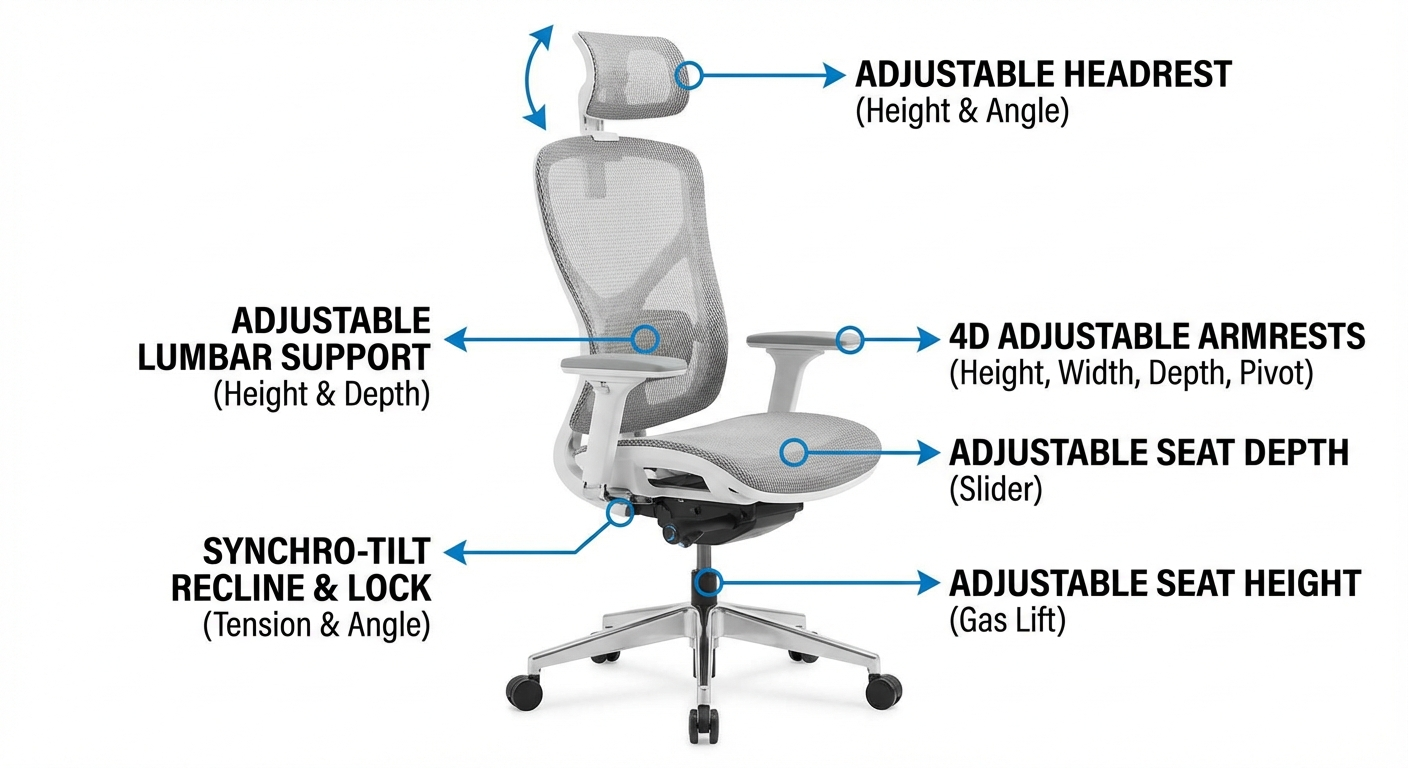
Must-Have Features
Adjustable lumbar support: The single most important feature for back pain sufferers. Look for both height-adjustable AND depth-adjustable lumbar support. Height-only lumbar adjustment is better than nothing but insufficient for many body types.
Seat depth adjustment: You need 2–4 fingers of space between the front edge of the seat and the back of your knees. Most people need 16–20 inches of seat depth. If the seat can't be adjusted, it won't fit everyone.
Seat height adjustment: Your feet should sit flat on the floor, thighs roughly parallel to the ground. Standard range: 17–21 inches. For tall users (6'2"+), look for chairs with 18–23 inch range.
4D armrests: Adjustable in height, width, depth (forward/back), and angle. Shoulders should be relaxed — not shrugged up — when your arms rest on them.
Recline with tension control: A chair that allows you to recline 10–15° takes pressure off the lumbar disks. The recline tension should be adjustable so the chair supports your weight without either being rigid or collapsing.
Breathable mesh or contoured foam: Mesh backings promote airflow, reducing heat buildup. High-density foam seats hold their shape longer than standard foam.
Nice-to-Have Features
- Headrest/neck rest (essential for tall users, helpful for tension headaches)
- Forward tilt option (useful if you lean forward to work)
- Seat edge waterfall design (reduces pressure on the back of the thighs)
- Warranty: Anything over 5 years signals manufacturer confidence in durability
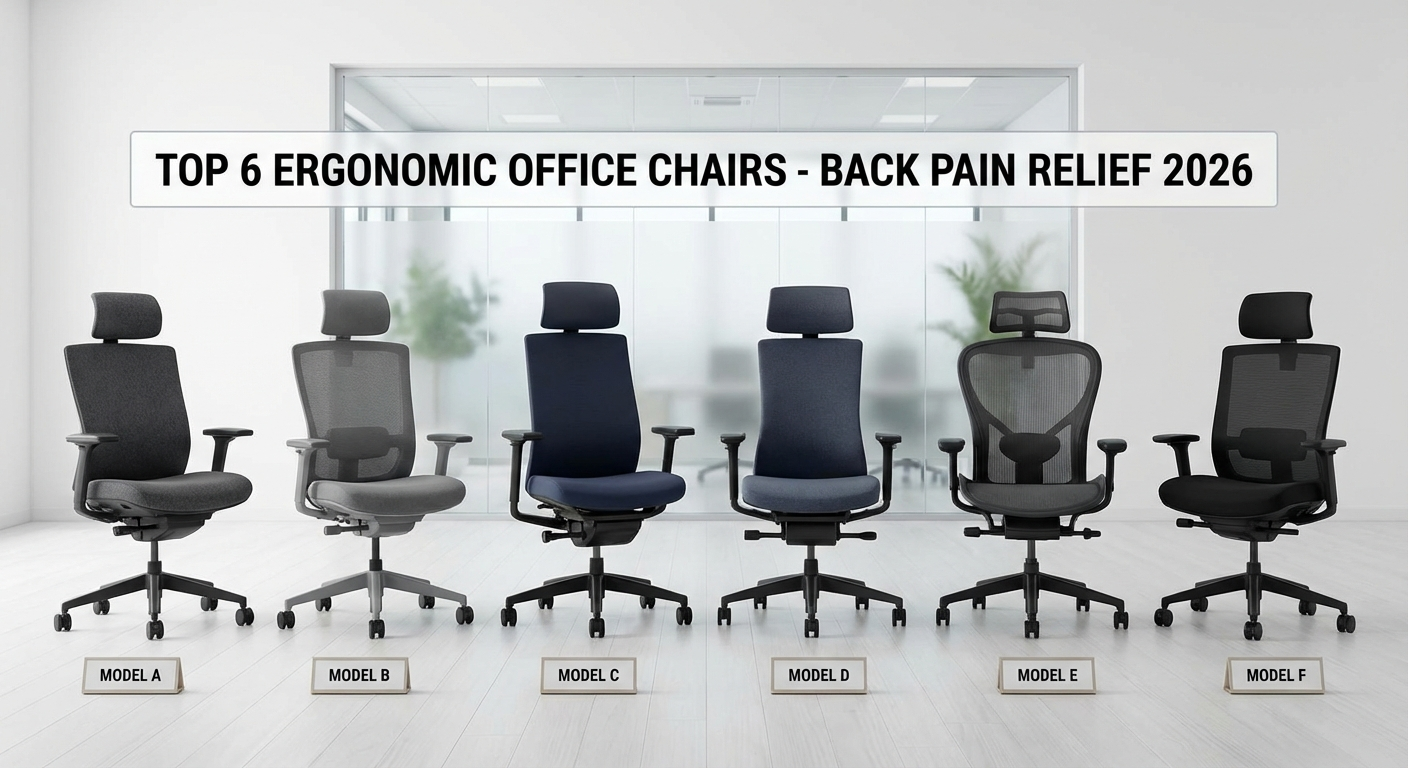
Best Ergonomic Office Chairs for Back Pain 2026
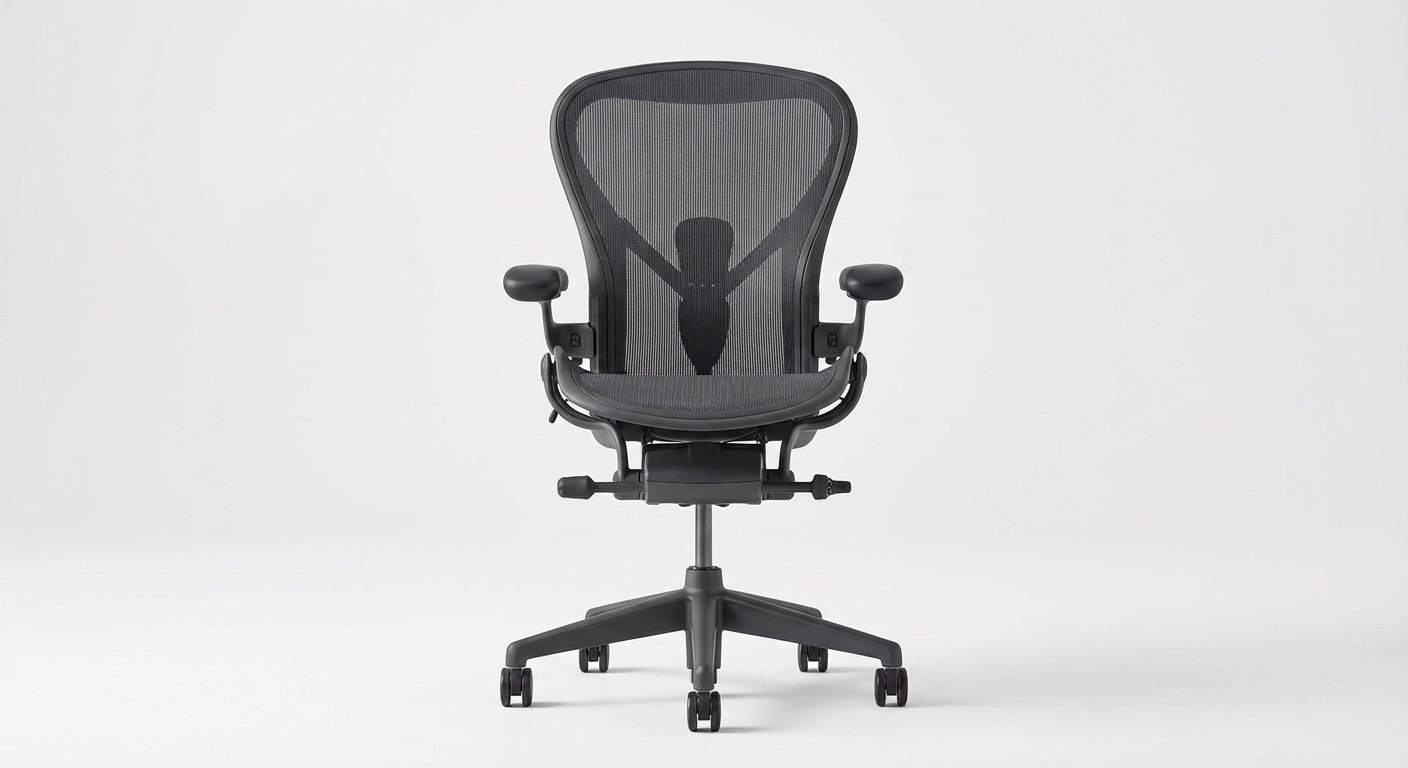
Herman Miller Aeron — Best Overall
Best for: All-day use, severe lower back pain
Lumbar: PostureFit SL — sacrum + lumbar dual support
Warranty: 12 years
Price: $$$$
Check on Amazon →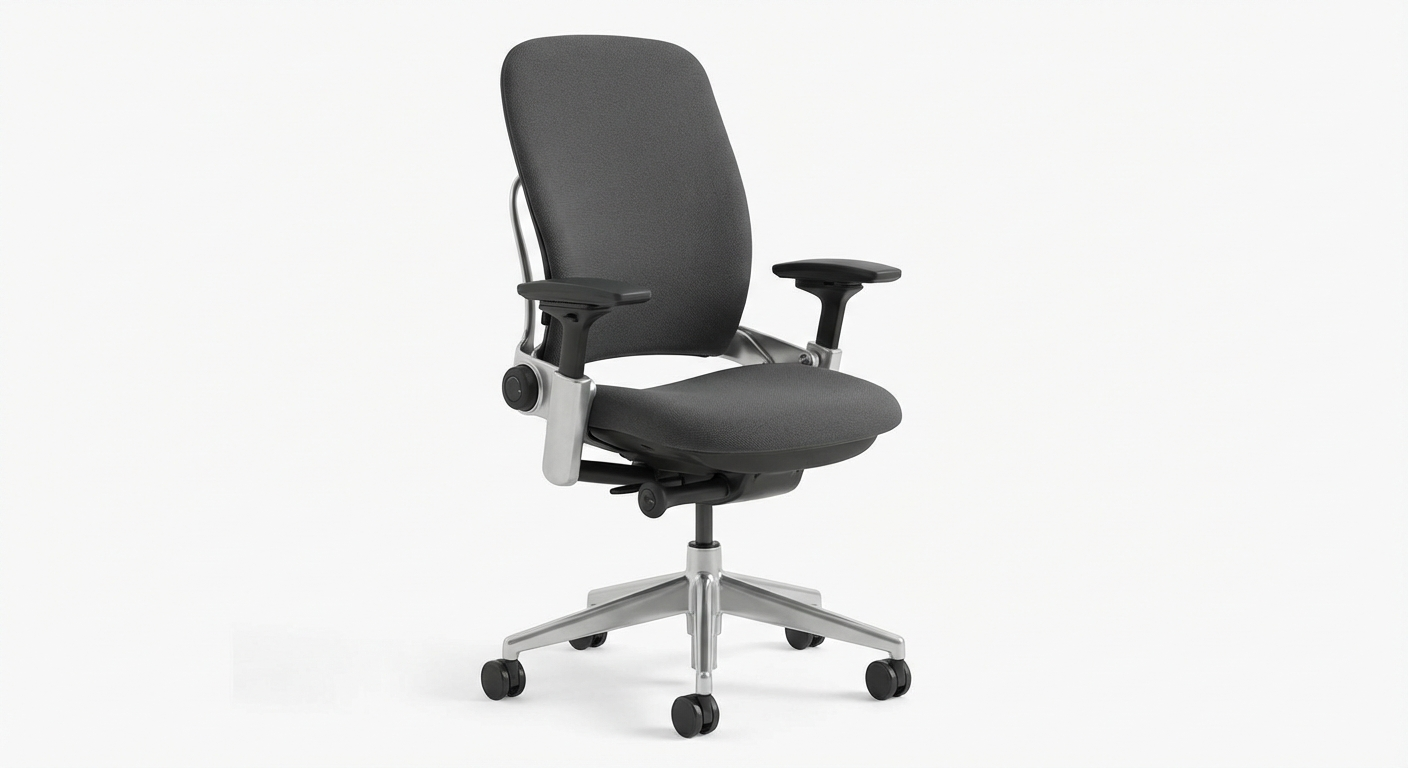
Steelcase Leap V2 — Best for Dynamic Sitting
Best for: People who shift positions throughout the day
Lumbar: LiveBack technology adjusts to spine movement
Warranty: 12 years
Price: $$$$
Check on Amazon →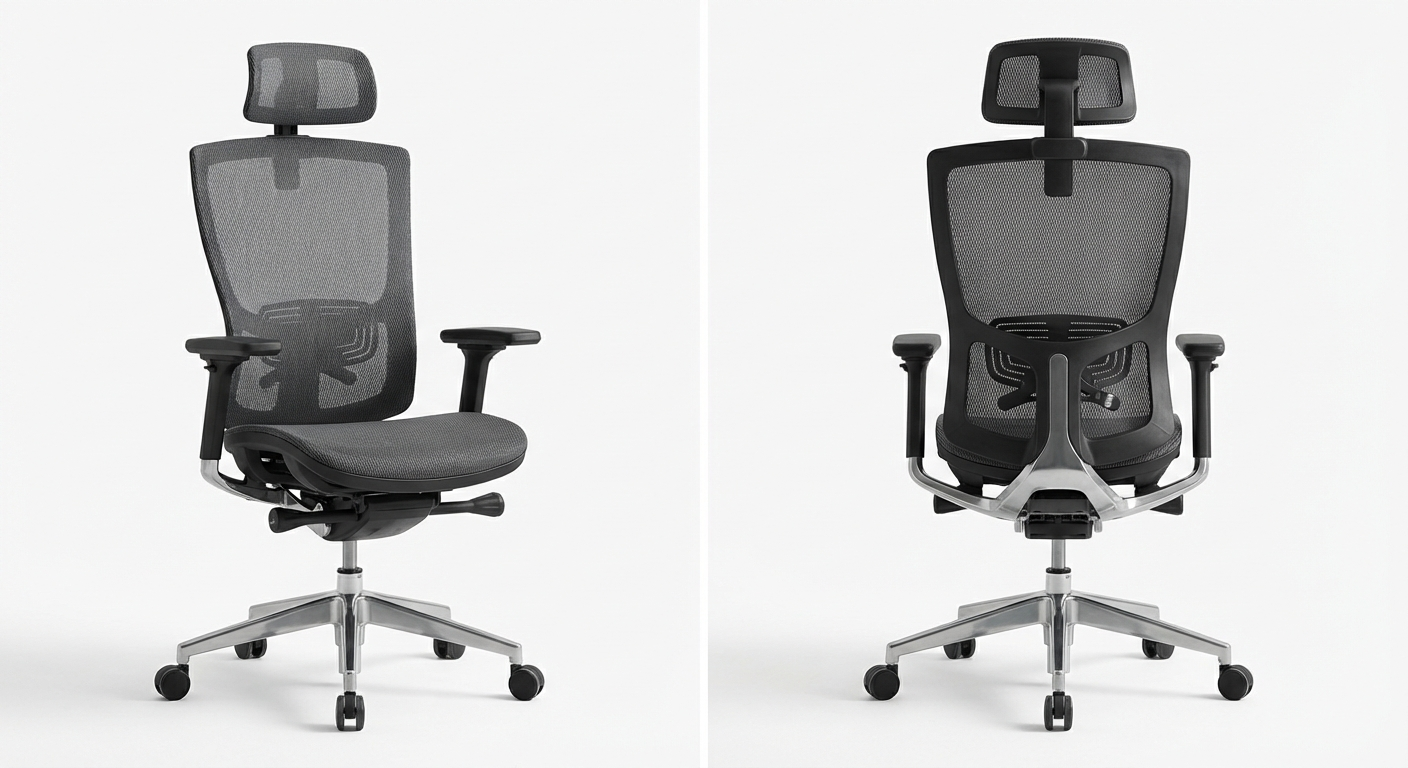
Autonomous ErgoChair Pro — Best Mid-Range
Best for: Budget-conscious buyers who won't compromise support
Lumbar: Adjustable height + depth lumbar pad
Warranty: 2 years
Price: $$$
Check on Amazon →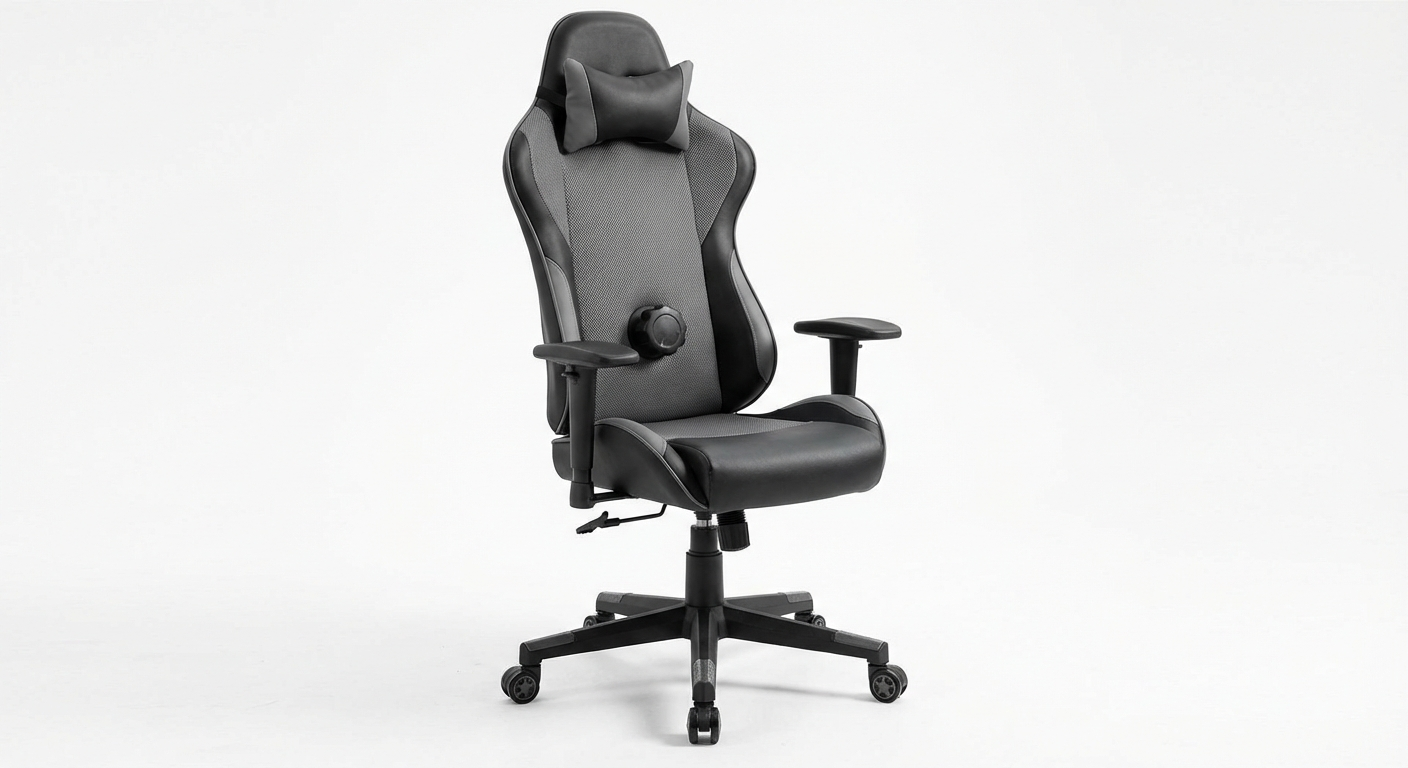
Secretlab Titan Evo — Best for Tall Users
Best for: Users 6'0" and above, broad shoulders
Lumbar: 4-way adjustable built-in lumbar system
Warranty: 5 years
Price: $$$
Check on Amazon →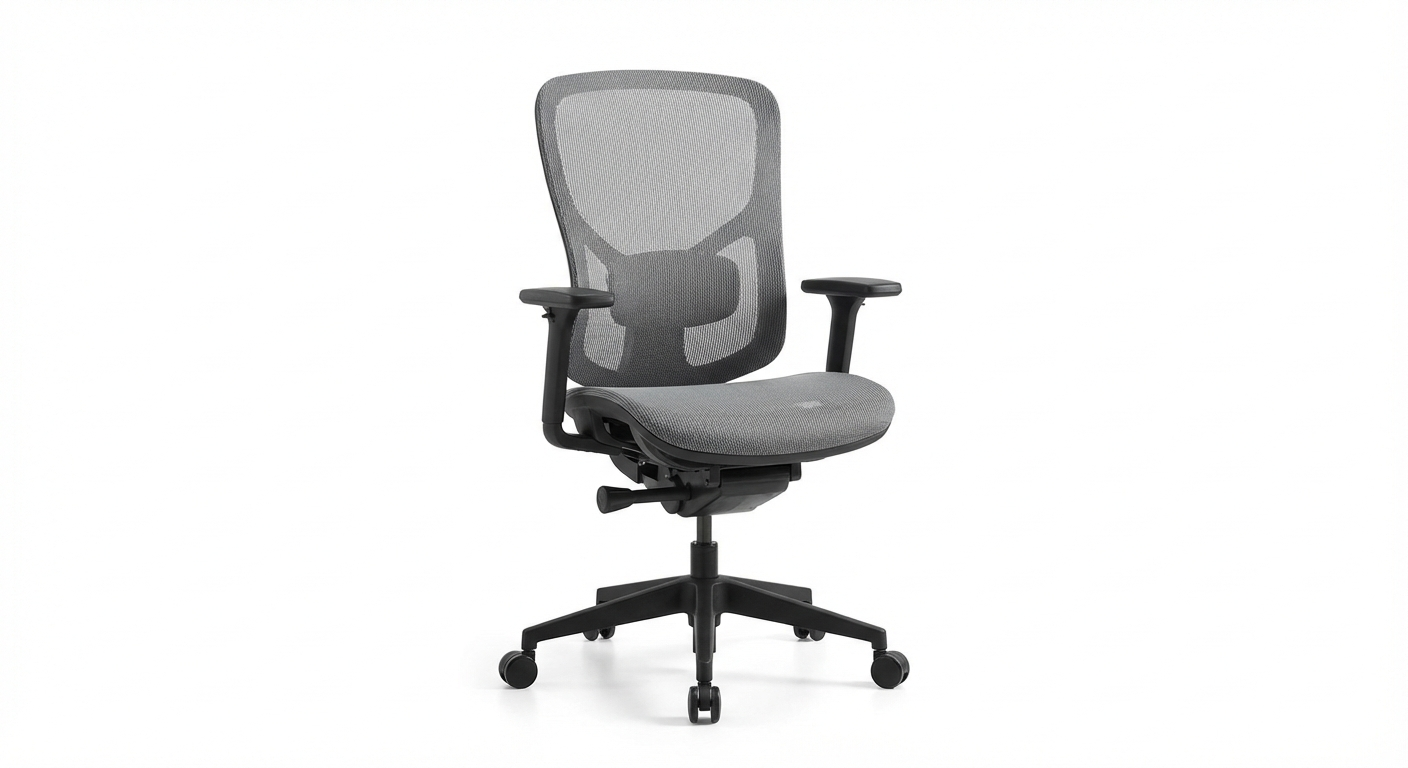
Branch Ergonomic Chair — Best Value Under $500
Best for: Home office users who want quality without premium price
Lumbar: Adjustable height lumbar cushion
Warranty: 5 years
Price: $$$
Check on Amazon →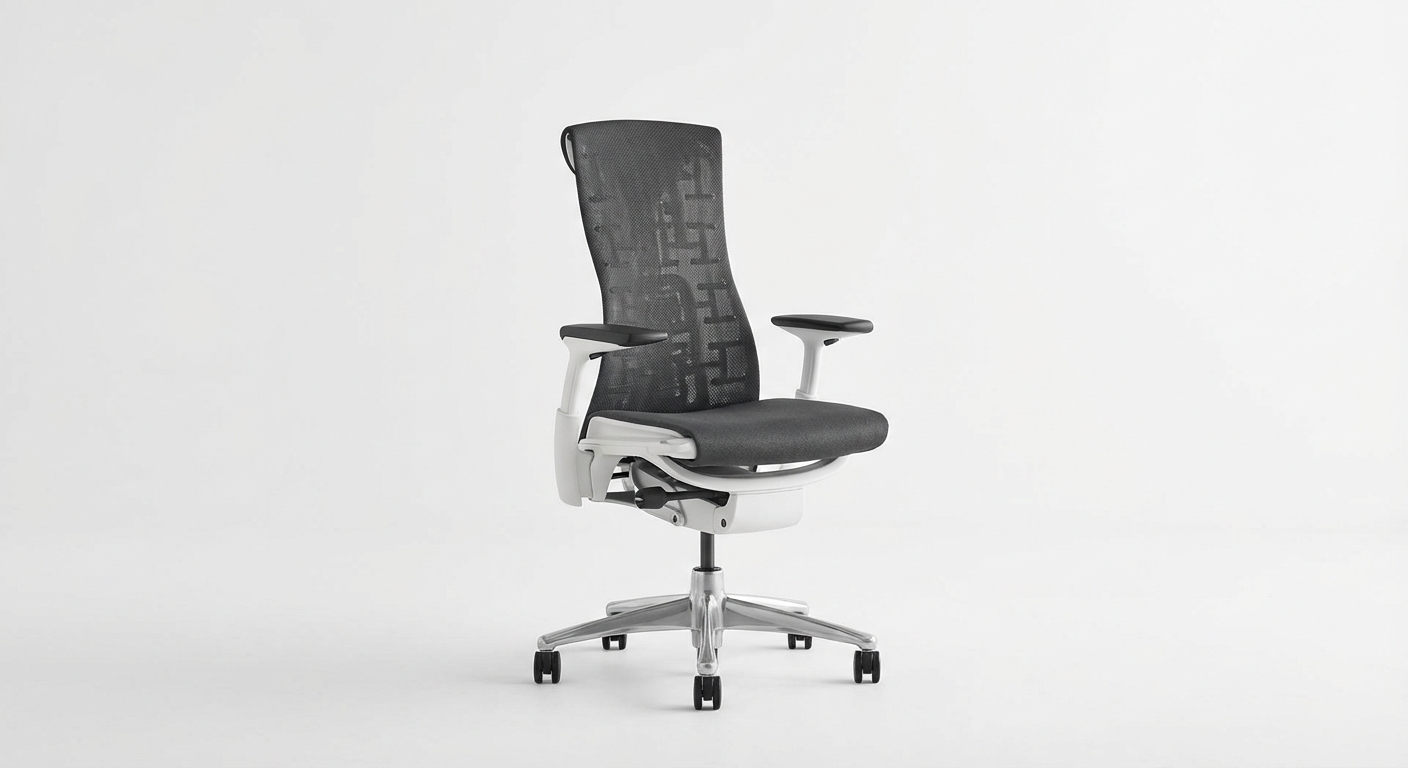
Herman Miller Embody — Best for Posture
Best for: Chronic postural issues, back injury recovery
Lumbar: Spine-conforming BackFit technology
Warranty: 12 years
Price: $$$$
Check on Amazon →Quick Comparison Table
| Chair | Best For | Lumbar Type | Warranty | Price |
|---|---|---|---|---|
| Herman Miller Aeron | All-day use, severe back pain | PostureFit SL dual support | 12 years | $$$$ |
| Steelcase Leap V2 | Dynamic sitters, movement | LiveBack adaptive flex | 12 years | $$$$ |
| Autonomous ErgoChair Pro | Budget-conscious, home office | Adjustable height + depth | 2 years | $$$ |
| Secretlab Titan Evo | Tall users 6'0"+ | 4-way built-in lumbar | 5 years | $$$ |
| Branch Ergonomic | Best value under $500 | Adjustable lumbar cushion | 5 years | $$$ |
| Herman Miller Embody | Back injury recovery, posture | BackFit spine-conforming | 12 years | $$$$ |
Lumbar Support Guide
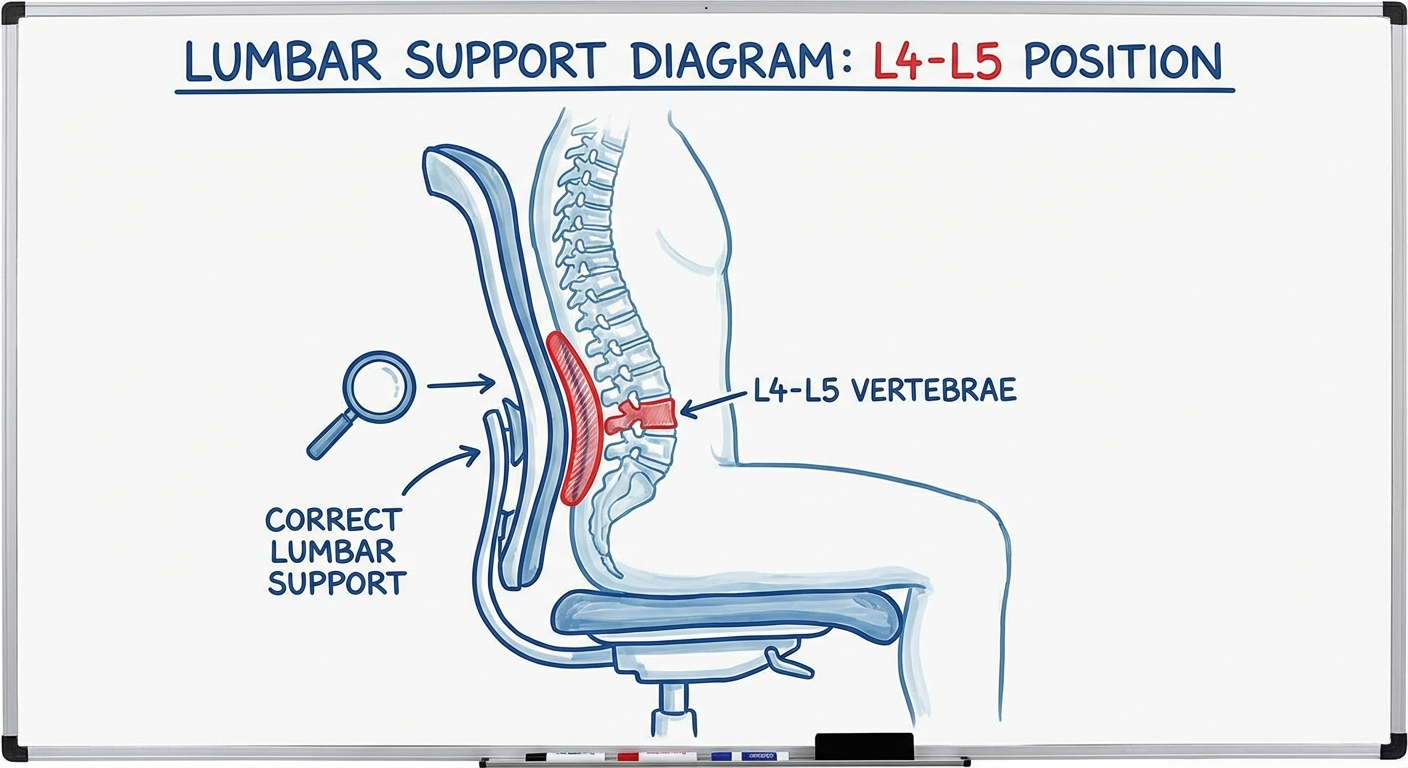
Lumbar support is the most critical feature for back pain prevention, but it only works when positioned correctly.
Finding the Right Height
Sit all the way back in your chair. Your lower back should have a slight inward curve (not flat against the backrest, not dramatically arched). The lumbar support should contact your back at the apex of this curve — typically at the L4–L5 vertebral level, which is roughly in line with your navel.
For most people, this is 8–10 inches from the seat surface — not mid-back where most people incorrectly position it.
Fixed vs Dynamic Lumbar Support
Fixed lumbar support provides a static bump at a set height. It works if the chair fits your body — but if you're shorter or taller than the design average, it may not contact you in the right place.
Dynamic (floating) lumbar support moves as you shift position. The Steelcase Leap's LiveBack technology is the gold standard — the backrest flexes and conforms continuously as you move. This is significantly better for all-day use.
Pneumatic/pump lumbar (common on mid-range chairs like the Secretlab Titan) lets you inflate a built-in bladder to the exact firmness and depth you need. Highly effective and customisable.
The Sciatic Nerve Connection
If you experience radiating pain from your lower back down one or both legs, the right office chair can dramatically reduce sciatic nerve pain by properly supporting the lumbar spine and reducing disk pressure on the nerve roots. If you have diagnosed sciatica, proper lumbar support is non-negotiable — sitting in a collapsed posture actively compresses the affected nerve root.
How to Adjust Your Chair for Back Pain
Buying an ergonomic chair is only half the battle. Most people never properly configure them. Our detailed guide on how to adjust your office chair for back pain walks through every adjustment step-by-step, but here's the quick version:
Step-by-Step Chair Setup
Step 1 — Seat height: Sit with your feet flat on the floor. Thighs should be roughly parallel to the ground (or slightly tilted downward — thighs slightly higher than knees). Hips should be at or slightly above knee level.
Step 2 — Seat depth: Slide back until your back touches the lumbar support. You should have 2–4 fingers of space between the seat edge and the back of your knees. If you can't achieve this, adjust seat depth or use a seat cushion.
Step 3 — Lumbar position: Adjust lumbar support height until it contacts your lower back at the inward curve. Increase depth/firmness until you feel gentle support — not pushed forward, not absent.
Step 4 — Backrest recline: Lean back to 100–110° — slightly past vertical. This is the target sitting angle, not 90°. Pure 90° sitting increases lumbar disk pressure compared to a slight recline.
Step 5 — Armrests: Raise armrests until your shoulders are relaxed and elbows are at roughly 90–100°. Arms should rest on the armrests without lifting or shrugging. Wrists should be neutral (flat or slightly downward toward keyboard).
Step 6 — Monitor distance: Arm's length from face. Top of monitor at or just below eye level.
For a complete ergonomic workstation setup walkthrough, read our guide on how to sit properly at a desk.
Budget Picks Under $300
Premium ergonomic chairs are an investment. If $800+ isn't in budget, these mid-range options deliver meaningful back support without breaking the bank.
SIHOO M57 Ergonomic Chair (~$200): Adjustable lumbar support, headrest, 3D armrests, mesh back. Excellent value for a home office secondary chair.
HON Ignition 2.0 (~$250): Commercial-grade construction, adjustable lumbar, durable fabric. Common in healthcare facilities — built to last.
Devoko Ergonomic Chair (~$150): Entry-level ergonomic option with basic lumbar adjustment. Not suitable for 8+ hour days but serviceable for part-time use.
For a comprehensive roundup of more budget-friendly options, see our best ergonomic office chairs 2026 guide covering chairs at every price point.
Also worth reading: office chair vs kneeling chair vs saddle chair — an honest comparison if you're considering alternatives to traditional chairs.
When to See a Specialist
A better chair helps, but it doesn't fix underlying structural issues. See a doctor or physical therapist if:
- Back pain is severe, sharp, or associated with numbness/tingling
- Pain radiates down the leg (possible sciatica or disk herniation)
- You experience bladder or bowel changes (seek emergency care immediately)
- Pain doesn't improve after 4–6 weeks of proper ergonomic setup
- You have a history of disk disease, spinal stenosis, or back surgery
Frequently Asked Questions
Do ergonomic chairs really help with back pain? Yes — but only when properly adjusted. Research consistently shows that well-configured ergonomic chairs reduce lower back pain in office workers. A 2018 study in the journal Applied Ergonomics found a 35% reduction in back pain symptoms in workers who switched to adjustable lumbar support chairs.
How long does it take to feel results from an ergonomic chair? Most users notice improvement within 2–4 weeks. Some feel better within days. The adjustment period can also include initial discomfort as your posture resets from years of compensating in a bad chair.
Is a lumbar pillow as effective as a built-in lumbar system? An add-on lumbar pillow is better than nothing, but significantly inferior to an integrated adjustable system. Pillows move, compress, and rarely stay at the correct height. A quality lumbar roll is a reasonable short-term fix but not a long-term solution.
What's the minimum I should spend for a chair that helps back pain? At absolute minimum, $150–200 for a chair with adjustable lumbar height. Below that, most chairs offer only cosmetic ergonomic features. For serious back pain, budget $400–600 minimum for a chair you'll use 8+ hours daily.
Can sitting in a good chair all day still cause back pain? Yes. No chair eliminates the risks of prolonged static sitting. Stand breaks every 30–45 minutes, brief walks, and regular movement are essential regardless of chair quality. The goal is reducing — not eliminating — the physical stress of office work.
Should I get a chair with a headrest? If you experience neck or upper back pain, or if you're taller than 6'0", a headrest is beneficial. It supports the head's weight (roughly 5kg / 11lbs), which takes significant strain off the cervical spine and trapezius muscles.
Sources & Methodology
Research conducted by Marcus Webb, Certified Ergonomics Consultant (CEC, Board Certified in Professional Ergonomics).
- National Institute for Occupational Safety and Health (NIOSH) — Musculoskeletal Disorders and Workplace Factors. cdc.gov/niosh
- Hedge A, et al. "Effects of an electric height-adjustable workstation on computer worker musculoskeletal discomfort and productivity." HFES Annual Meeting Proceedings, 2014.
- Callaghan JP, McGill SM. "Low back joint loading and kinematics during sitting and unsupported sitting." Ergonomics, 2001. DOI: 10.1080/00140130120936
- Tissot F, et al. "Studying the effect of working posture on musculoskeletal discomfort using self-report." Applied Ergonomics, 2009.
- OSHA Ergonomics Guidelines for Computer Workstations. osha.gov
Marcus Webb is a Certified Ergonomics Consultant with 12 years of experience designing workstation setups for corporate and home office environments. He has assessed over 3,000 workstations across industries including law, finance, and healthcare.