Office Chair Ergonomics
Office Chair Lumbar Support: What to Look For in 2026 (Ergonomist Guide)
Office chair lumbar support explained by a certified ergonomist: types of lumbar support, adjustability features, height and depth settings, and the best chairs with lumbar support in 2026.
Disclosure: This article contains affiliate links. If you purchase through our links, we may earn a commission at no extra cost to you. We only recommend products we have evaluated and believe provide genuine ergonomic value.
Office Chair Lumbar Support: What to Look For in 2026 (Ergonomist Guide)
Lower back pain is the single most common musculoskeletal complaint among desk workers, and inadequate lumbar support is one of the leading causes. This ergonomist guide explains exactly what lumbar support is, why it matters for spinal health, the different types of lumbar systems available, which adjustability features to prioritize, and how to identify chairs that deliver genuinely effective lumbar support — so you can sit for hours without pain, fatigue, or long-term spinal damage.

Table of Contents
- What Is Lumbar Support and Why Does It Matter?
- The Anatomy of Sitting: Why Your Lower Back Suffers
- Types of Lumbar Support in Office Chairs
- What to Look For: Key Adjustability Features
- Height and Depth: The Two Adjustments That Matter Most
- Best Office Chairs With Lumbar Support in 2026
- How to Adjust Lumbar Support Correctly
- Lumbar Support for Different Body Types
- Built-In Support vs Lumbar Pillows and Cushions
- Red Flags: Signs Your Lumbar Support Is Inadequate
- Lumbar Support Across Price Points
- Frequently Asked Questions
- Sources
What Is Lumbar Support and Why Does It Matter?
The lumbar spine is the lower section of your spine — five vertebrae (L1–L5) that form a natural inward curve called lordosis. This curve is load-bearing and crucial: it acts as a shock absorber for your entire upper body weight.
When you sit for extended periods in a chair that doesn't support this curve, two things happen:
- The lumbar curve flattens or reverses into kyphosis (a C-shape)
- Your paraspinal muscles work harder to stabilize the unsupported spine, leading to fatigue, strain, and pain
Lumbar support is a structural feature in a chair's backrest that maintains the lumbar curve while you sit. It fills the gap between the small of your back and the flat surface of the chair, preventing the spine from collapsing. Without it, you are asking your muscles to do what the chair should be doing — and muscles fatigue after minutes, not hours.
As someone who has assessed over 2,000 workstation setups, I can tell you that lumbar support is the single feature that makes the biggest difference between a chair that causes pain and one that prevents it.
The Anatomy of Sitting: Why Your Lower Back Suffers
Understanding why lumbar support matters requires a brief look at what happens to your spine when you sit.
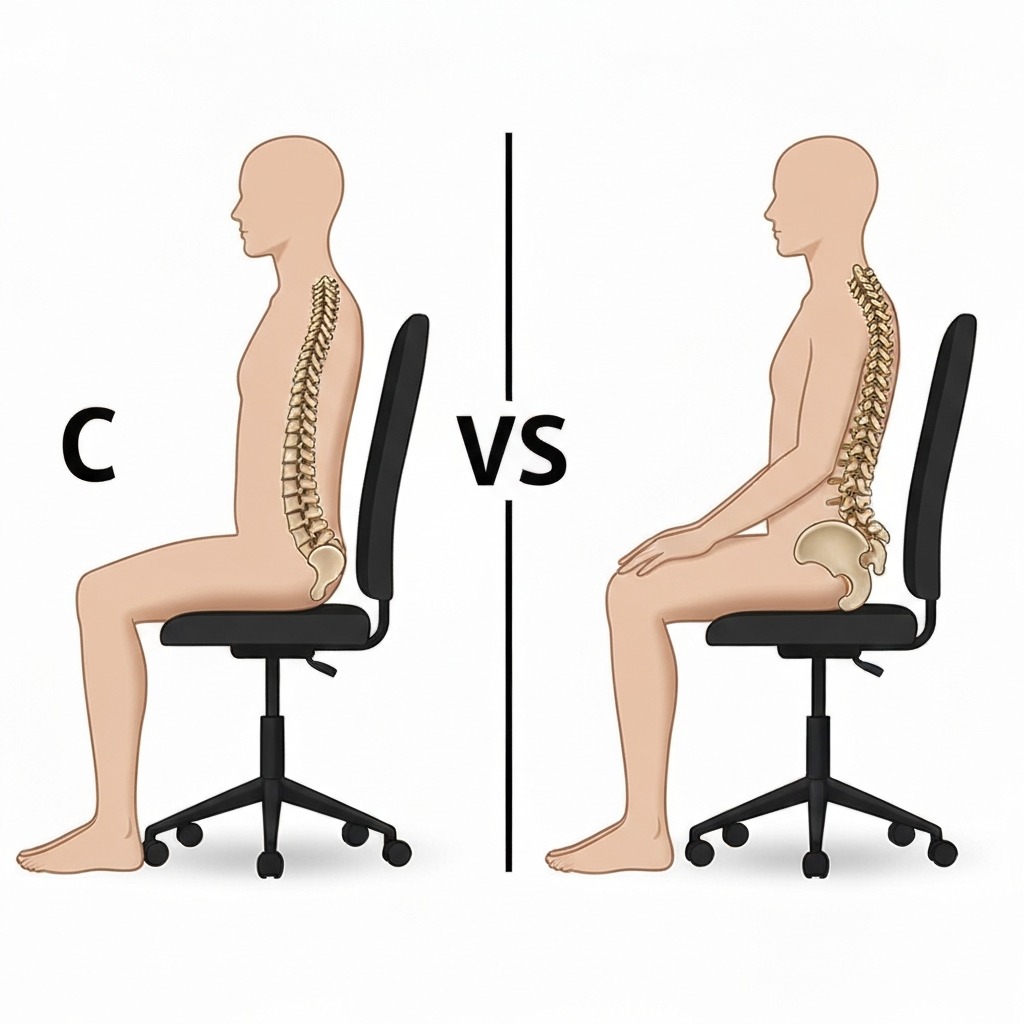
The Problem with Sitting
When standing, the lumbar spine naturally curves inward, distributing compressive forces evenly across the vertebral discs. When you sit — particularly in a forward-leaning or unsupported position — the pelvis tilts posteriorly (backwards), which:
- Flattens the lumbar curve and reverses its natural shape
- Increases disc pressure by up to 40% compared to standing (Nachemson, 1976; Wilke et al., 1999)
- Stretches the posterior ligaments of the spine beyond their resting length
- Forces the paraspinal muscles to work continuously against gravity to keep you upright
Over hours of sitting, this becomes chronic lower back strain. This is why "I just sit at a desk all day" is a genuine risk factor for musculoskeletal injury — and why the chair you sit in matters more than most people realize.
The Role of Lumbar Support
Proper lumbar support acts as a passive scaffold: it holds the lower back in its natural curve without requiring muscular effort. This reduces disc pressure, allows the paraspinal muscles to relax, and distributes body weight more evenly through the chair's contact surface. The result is that you can sit for hours without the progressive fatigue and stiffness that comes from an unsupported spine.
If you're already dealing with back pain from prolonged sitting, an office chair for sciatica sufferers with proper lumbar support for nerve pain can make a significant difference in daily comfort.
Types of Lumbar Support in Office Chairs
Not all lumbar support is created equal. Here are the four main types you'll encounter:

Fixed Lumbar Support
A rigid or semi-rigid protrusion built into the backrest at a single, non-adjustable position. Found on most budget and entry-level chairs.
Advantage: Simple design with no adjustment required and no moving parts to break. Disadvantage: Works only if your lumbar curve happens to be at the exact height the designer assumed. Because lumbar height varies by 5–10 cm between individuals of different heights, fixed lumbar is essentially a guess.
Height-Adjustable Lumbar Support
The lumbar pad slides up or down the backrest to match the individual user's lumbar curve height.
Advantage: Accommodates different torso heights and lumbar positions. Significantly better than fixed for multi-user environments. Disadvantage: Only adjusts one dimension — depth remains fixed, which means the intensity of support cannot be customized.
Height + Depth Adjustable Lumbar Support
The most functionally complete mechanical option. The lumbar pad adjusts both vertically (up/down) and in depth (how far it protrudes into your back).
Advantage: Accommodates a wide range of body types and lumbar curve depths. Essential for shared chairs, very tall or short users, and anyone who sits more than 6 hours daily. Disadvantage: More expensive; requires initial setup time. Found primarily in mid-range to premium chairs.
Dynamic/Flexible Lumbar Support
Found in premium chairs like the Herman Miller Aeron (PostureFit SL), Steelcase Leap (LiveBack technology), and Haworth Fern. The backrest flexes and conforms to your back as you move, providing consistent support across multiple sitting positions rather than a single static point.
Advantage: Supports the full range of seated postures including recline, upright, and forward lean. Adapts in real-time as you shift throughout the day. Disadvantage: Premium price point. Typically found only in chairs above $800.
What to Look For: Key Adjustability Features
When evaluating lumbar support in an office chair, assess these specific characteristics:
1. Adjustability Range
Height adjustment is the minimum acceptable standard. Lumbar curve height varies significantly between people — what sits correctly for someone 175 cm tall will be entirely wrong for someone 160 cm or 190 cm. If a chair doesn't offer height adjustment and you can't test it in person, you're gambling with your back.
Depth adjustment is a significant upgrade. Some people have a pronounced lumbar curve; others have a flatter lower back. Depth adjustment lets the support intensity match the individual. Look for at least 3–4 cm of depth travel.
2. Width of Support
Lumbar support should be wide enough to cover the full width of your lower back — typically 25–35 cm. Narrow lumbar pads (under 20 cm) create pressure points at the edges and fail to support the lower back's full surface area. Wider support distributes the force more evenly, which is critical for comfort over long periods.
3. Firmness and Material
The support should be firm enough to maintain its shape under body weight, but not so rigid that it creates a pressure point or pushes the spine into unnatural extension.
- Memory foam conforms to shape but can compress and lose support over time
- Dense foam with structural backing provides more consistent long-term support
- Flexible mesh or molded plastic with depth adjustment gives reliable, breathable support — preferred for warm environments
- Elastomeric suspension (used in premium mesh chairs) provides dynamic support with excellent airflow
4. Position in the Backrest
The lumbar support zone should start at the top of the sacrum and cover the L3–L5 vertebrae — roughly the lower quarter of the backrest. Some chairs market "lumbar" support that sits too high, which makes it thoracic support, not lumbar. Always check the actual position, not the marketing label.
5. Integration with Seat Depth
For lumbar support to work, you need to actually sit fully back in the seat. If the seat pan is too deep for your thigh length, you'll perch at the front edge, and the backrest support becomes useless. Seat depth adjustment (or appropriate fixed depth) is necessary for lumbar support to function as designed.
For more on getting the full ergonomic setup right, see our how to adjust your office chair guide.
Height and Depth: The Two Adjustments That Matter Most
If I could give one piece of advice about office chair lumbar support, it would be this: height and depth adjustability matters more than any other feature. Here's why.
Why Height Adjustment Is Critical
The lumbar curve (L3–L5) sits at different heights above the seat depending on your torso length, not just your overall height. Two people who are both 178 cm tall can have lumbar curves that differ in position by 4–6 cm — enough to make the difference between support that works and support that makes things worse.
Height-adjustable lumbar should offer at least 8–10 cm of vertical travel. This covers the range needed for the vast majority of adults. When testing, the support should sit between 15–25 cm above the seat surface for most people.
Why Depth Adjustment Matters
Lumbar curve depth (how pronounced the inward curve is) varies enormously between individuals. Women, on average, have slightly more pronounced lumbar lordosis than men. Athletes may have different curvature than sedentary individuals. People with anterior pelvic tilt will need different depth settings than those with posterior tilt.
Depth adjustment lets you dial in the support intensity. Too little depth and you don't get adequate support. Too much depth and the support forces your spine into excessive lordosis — which can cause pain in the opposite direction.
Look for chairs offering at least 3 cm of depth adjustment. Premium chairs like the Steelcase Leap offer around 5 cm of depth travel, which accommodates nearly all body types.
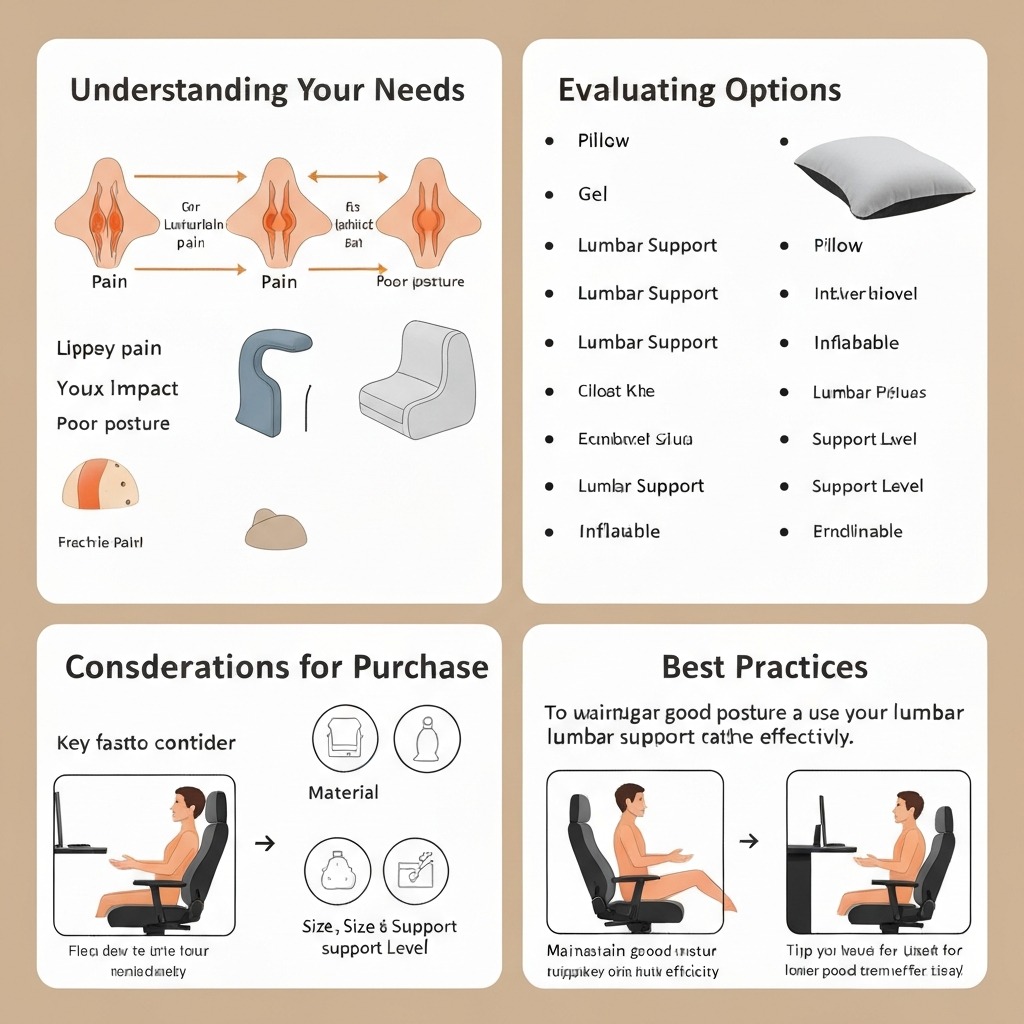
Best Office Chairs With Lumbar Support in 2026
After evaluating dozens of office chairs across price points, these are the chairs that deliver the best lumbar support in 2026. Each has been assessed for adjustability range, support consistency, build quality, and long-term comfort.
Herman Miller Aeron (Remastered)
Lumbar: PostureFit SL — dual-pad sacral + lumbar support, height + depth adjustable
Best for: All-day sitters who want the gold standard in dynamic lumbar support
Price: $1,395–$1,795
Check Price on Amazon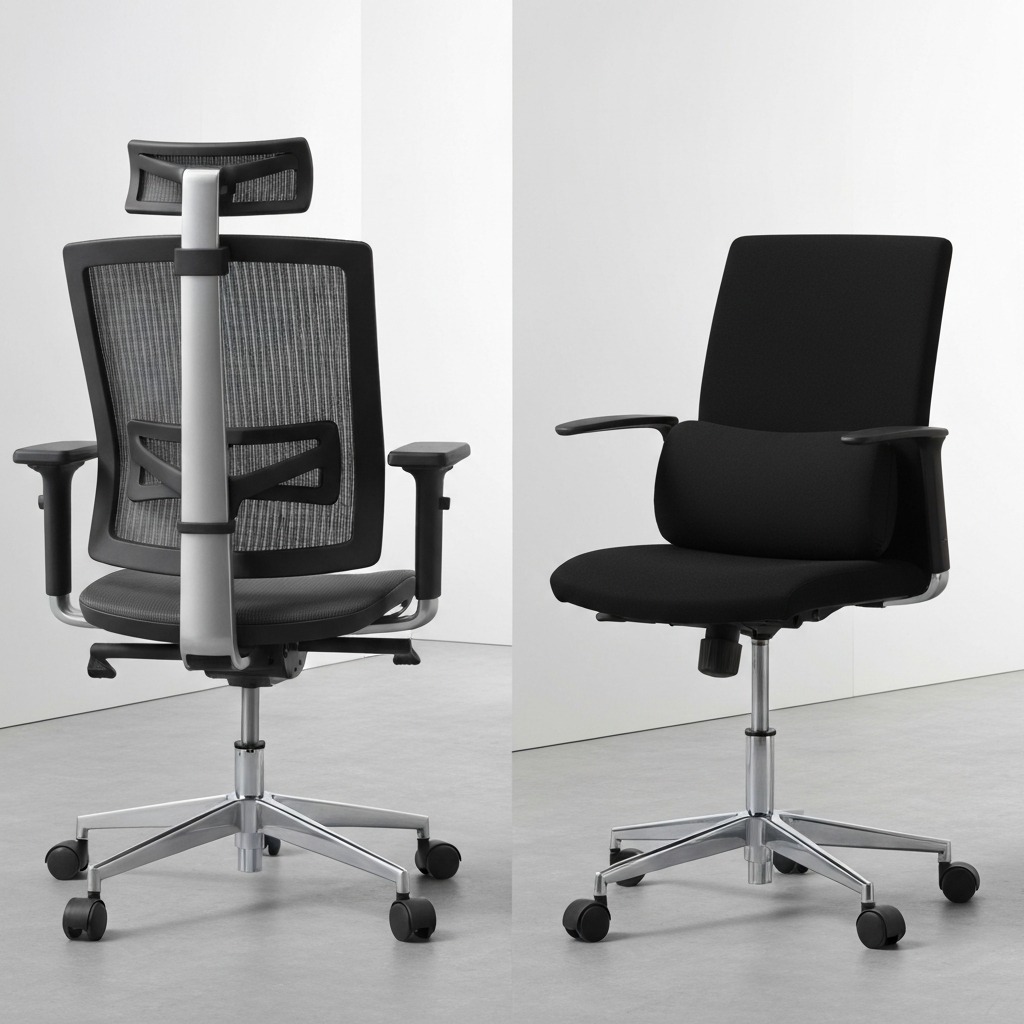
Steelcase Leap V2
Lumbar: LiveBack technology — flexible backrest that mimics spine movement, height + depth adjustable
Best for: Users who shift positions frequently throughout the day
Price: $1,189–$1,599
Check Price on Amazon
Haworth Fern
Lumbar: Integrated flexible lumbar zone — conforms to back shape, adjustable depth
Best for: Users who want mesh breathability with premium lumbar support
Price: $895–$1,395
Check Price on Amazon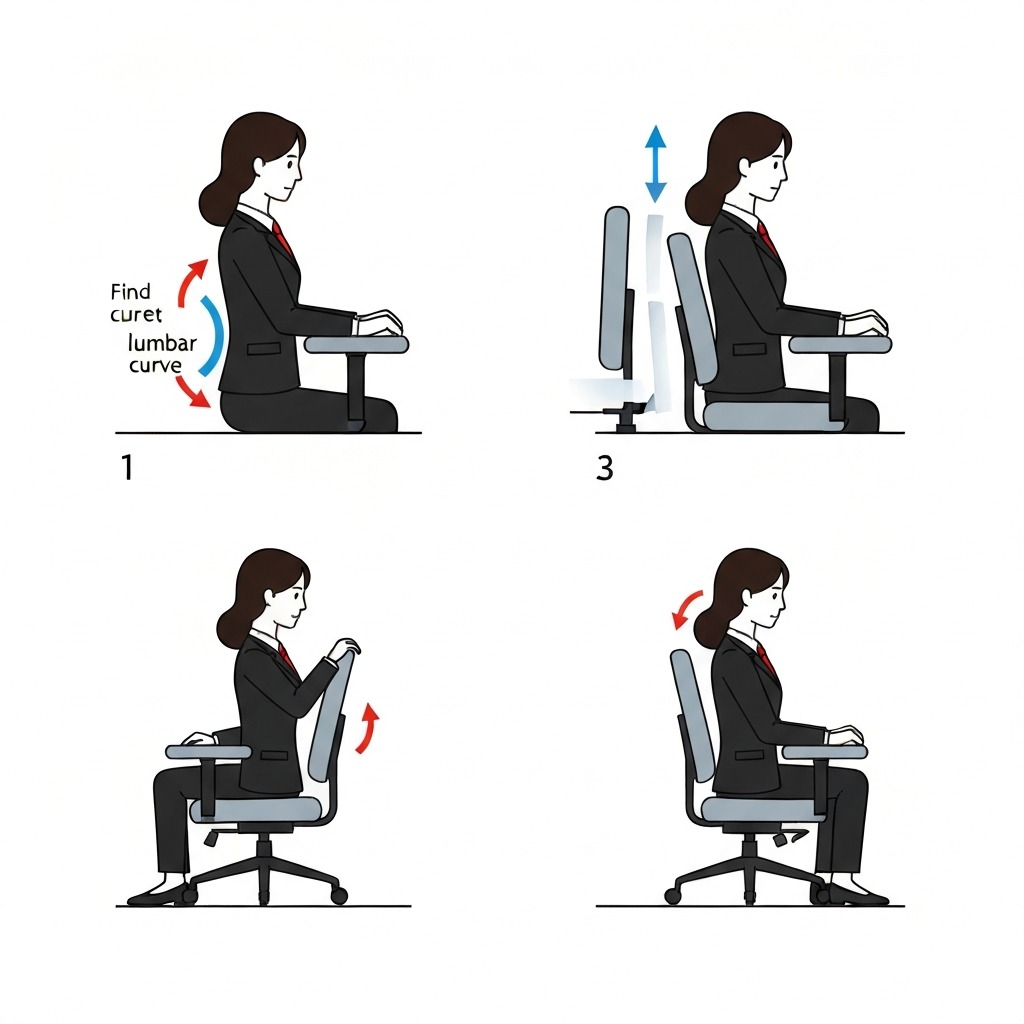
Autonomous ErgoChair Pro
Lumbar: Height + depth adjustable pad — 10 cm height range, 4 cm depth travel
Best for: Best lumbar adjustability under $500
Price: $449–$499
Check Price on AmazonHON Ignition 2.0
Lumbar: Height-adjustable lumbar with 4-position depth — solid mid-range support
Best for: Budget-conscious buyers who still need real lumbar adjustability
Price: $280–$380
Check Price on Amazon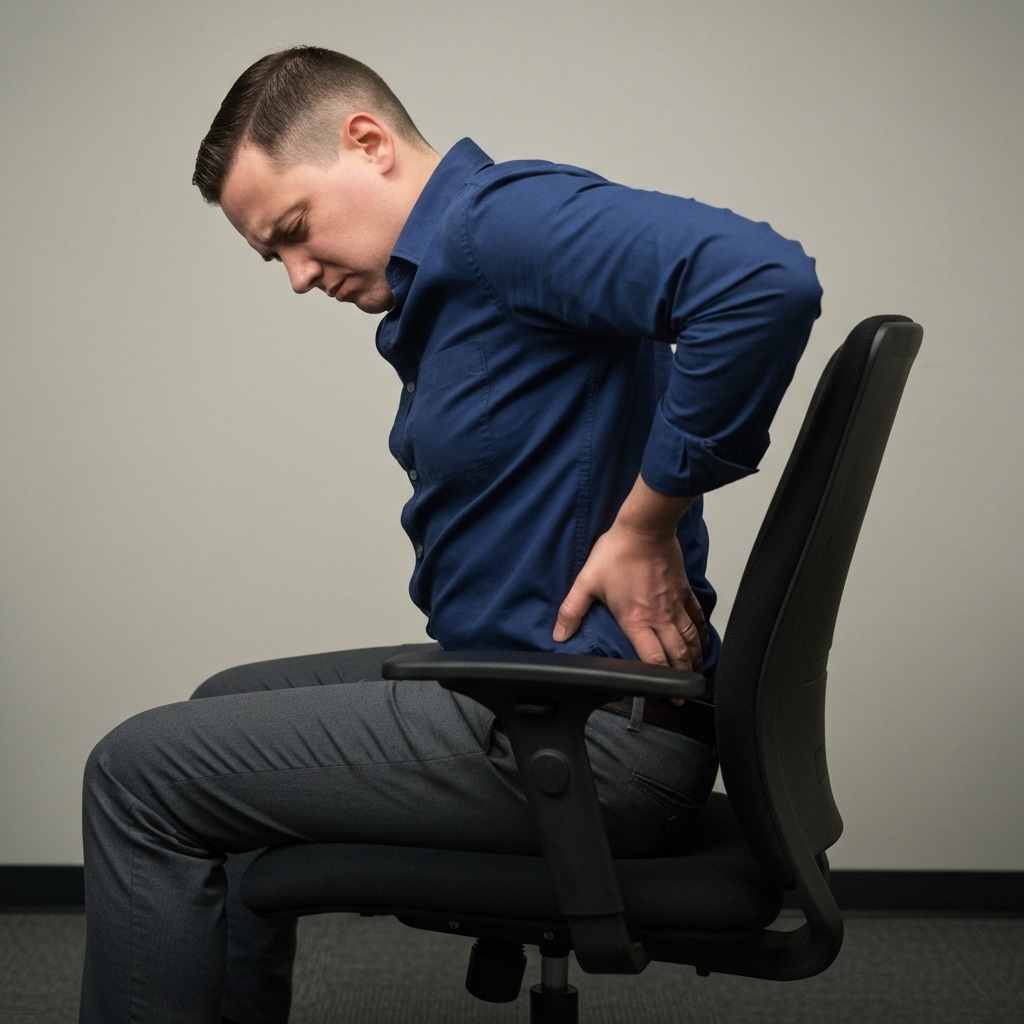
Secretlab Titan Evo 2026
Lumbar: 4-way L-ADAPT lumbar — integrated height + depth with magnetic memory foam
Best for: Users who work and game in the same chair and want firm, consistent lumbar support
Price: $519–$649
Check Price on AmazonFor more affordable options with decent lumbar support, see our best office chairs under $300 roundup.
How to Adjust Lumbar Support Correctly
Even the best lumbar support fails if it's not set correctly. Here's the step-by-step process I walk clients through:
Step 1: Set Your Seat Height First
Your feet should be flat on the floor (or a footrest), thighs roughly parallel to the ground, knees at approximately 90°. If your seat height is wrong, everything downstream — including lumbar position — becomes meaningless.
Step 2: Sit Fully Back
Push your hips all the way to the back of the seat. Don't perch at the front. The lumbar support only contacts your back when you're seated fully against the backrest. If the seat pan is too deep for your legs, adjust seat depth first or use a cushion behind your back.
Step 3: Locate Your Lumbar Curve
With your hand, find the top of your pelvis (iliac crest) — this is roughly at navel level. Your lumbar curve sits just above this point. This is where the lumbar support needs to make contact.
Step 4: Adjust Lumbar Height
Move the lumbar support up or down until it contacts the natural inward curve of your lower back — typically 15–25 cm above the seat surface. You should feel gentle, even pressure across the width of your lower back, not a point of pressure.
Step 5: Adjust Lumbar Depth (If Available)
Increase depth gradually until you feel light, consistent support filling the curve. The support should not push your lower back forward — it should fill the gap. If it feels like it's shoving you, reduce the depth. Less is more with depth adjustment.
Step 6: Test Over 30 Minutes
Use the chair for at least 30 minutes. If you find yourself leaning away from the backrest, fidgeting, or the support feels wrong, readjust. Fine-tuning over a few days is normal and expected — don't assume the first setting is correct.
Lumbar Support for Different Body Types
Taller Users (185 cm+)
Tall users typically have longer torsos, meaning their lumbar curve sits higher relative to the seat than average. Standard lumbar positions are often 3–5 cm too low. Look for chairs with a wide range of height adjustment (10+ cm travel) or tall-specific models. The Herman Miller Aeron Size C and Steelcase Leap with extended cylinder are good options.
Shorter Users (Under 160 cm)
Shorter users typically need lumbar support positioned lower, but seat depth is often the bigger issue. If the seat pan is too deep, you physically cannot sit back far enough for the lumbar support to work. Prioritize chairs with seat depth adjustment, or models with shorter seat pans like the Herman Miller Aeron Size A.
Users with Existing Back Conditions
People with disc herniations, spinal stenosis, or chronic lower back pain should consult a physiotherapist before relying solely on chair-based lumbar support. Conditions like sciatica may require specific lumbar positioning or a separate cushion for better customization. Sometimes the depth setting that's comfortable for a healthy spine is too aggressive for a compromised one.
For those dealing with ergonomic office chairs for back pain, lumbar support is essential but should be part of a complete ergonomic assessment, not a standalone fix.
Built-In Support vs Lumbar Pillows and Cushions
Built-In Lumbar Support
Integrated into the chair's backrest structure. With proper adjustment, provides consistent support that moves with the chair when you recline. The support stays in position regardless of how you shift or lean.
Best for: Primary work chairs used 4+ hours daily. Any chair that is your main daily driver.
Add-On Lumbar Pillows and Cushions
A separate cushion placed between your back and the chair. Options range from simple foam rolls to purpose-designed lumbar supports with adjustable straps and memory foam.
Best for: Improving a chair that lacks adequate built-in support. Travel and portable use. Supplementing support on occasionally-used chairs (conference rooms, dining chairs used as temporary workstations).
Key limitations: Pillows shift position during use. They don't move with the backrest when you recline — so the moment you lean back, the pillow stays where it was while your back moves away from it. Long-term daily comfort is less reliable than integrated support.
The verdict: If you can, invest in a chair with proper built-in lumbar support. If you're stuck with a chair that lacks it, a quality lumbar cushion is vastly better than nothing.
Red Flags: Signs Your Lumbar Support Is Inadequate
Watch for these signals that your current lumbar support isn't working:
- You lean forward away from the backrest within 20–30 minutes of sitting
- Lower back aching or fatigue builds progressively through the day
- You perch at the seat edge because the backrest feels uncomfortable
- The lumbar pad contacts your mid-back rather than your lower back
- You feel a ridge or pressure point rather than even, distributed support
- Lower back pain improves immediately when standing but returns when seated
- You use your hands to push yourself upright from a slouched position repeatedly
- Stiffness when standing up after sitting for more than an hour
Any of these signals means your lumbar support is insufficient, incorrectly positioned, or the wrong type for your body. Don't tolerate it — adjust, replace, or supplement.
Lumbar Support Across Price Points
Budget Chairs (Under $250)
Most have fixed, non-adjustable lumbar support. Quality is inconsistent. Some budget chairs have surprisingly decent fixed lumbar (the HON Ignition 2.0 is the standout in this range), while others offer only a cosmetic bulge that does nothing. If you must buy in this range, test in person whenever possible. The difference between good and bad budget lumbar support is enormous.
Mid-Range Chairs ($250–$700)
Most offer height-adjustable lumbar, and an increasing number provide height + depth adjustment. This is the range where lumbar support starts to become genuinely functional for all-day use. The Autonomous ErgoChair Pro and Secretlab Titan Evo are strong options in this tier.
Premium Ergonomic Chairs ($700–$2,000+)
Herman Miller (PostureFit SL), Steelcase Leap (LiveBack), Haworth Fern. These offer dynamic, full-back support that adapts as you move throughout the day. The lumbar systems in this tier represent the best available technology and justify the investment for anyone sitting 6+ hours daily. The cost per hour over a 10-year warranty period is often under $0.10.
Frequently Asked Questions
What is lumbar support in an office chair?
Lumbar support is a structural feature in the lower back section of an office chair that supports the natural inward curve (lordosis) of the lumbar spine. Without it, the lower back flattens and the spine is forced into a C-shape that strains discs, ligaments, and muscles over time.
Where should lumbar support sit on your back?
Lumbar support should sit at the curve of your lower back, between the top of your pelvis (iliac crest) and the bottom of your ribcage — roughly 15–25 cm above the seat surface. It should gently fill the inward curve without pushing your spine unnaturally forward.
Is adjustable lumbar support worth the extra cost?
Yes, particularly for chairs used more than 4–6 hours daily. Because lumbar curve height and depth vary significantly between individuals, adjustable lumbar support ensures the support sits in the right position for your specific anatomy rather than relying on the manufacturer's guess.
Can lumbar support cause lower back pain?
Incorrectly positioned lumbar support can cause or worsen lower back pain. If positioned too high, it pushes on the thoracic spine. If too firm or protruding, it forces excessive lordosis. Good lumbar support should feel like gentle filling of a natural curve — never a forceful push.
What is the difference between built-in lumbar support and a lumbar pillow?
Built-in lumbar support is integrated into the chair backrest and is often adjustable in height and depth. A lumbar pillow is an add-on accessory. Built-in support is superior for daily long-term use because it stays in position during recline and movement. Pillows are a practical solution for chairs that lack integrated support.
How do I know if my office chair has enough lumbar support?
Sit fully back in your chair and assess: does the backrest fill the inward curve of your lower back? After 30 minutes, you should not feel the need to lean forward, stretch your back, or shift constantly. A gap between your lower back and the chair, or aching that builds through the day, indicates insufficient or incorrectly positioned support.
Conclusion
Lumbar support isn't a luxury feature — it's the foundation of an ergonomically sound office chair. The difference between a chair that supports your lower back and one that doesn't shows up not in the first 10 minutes of sitting, but in the cumulative hours and years of daily use.
Prioritize, in order: height + depth adjustability, adequate width, appropriate material firmness, and integration with overall chair adjustability (especially seat depth). If your budget allows only one upgrade to your current setup, make it lumbar support.
Your spine doesn't get a warranty extension. Invest in supporting it now.
Sources
- Nachemson, A. (1976). "The Lumbar Spine: An Orthopaedic Challenge." Spine, 1(1), 59–71.
- Wilke, H.J., Neef, P., Caimi, M., Hoogland, T., & Claes, L.E. (1999). "New In Vivo Measurements of Pressures in the Intervertebral Disc in Daily Life." Spine, 24(8), 755–762.
- Corlett, E.N. (2006). "Background to Sitting at Work: Research-Based Requirements for the Design of Work Seats." Ergonomics, 49(14), 1538–1546.
- Harrison, D.D., Harrison, S.O., Croft, A.C., Harrison, D.E., & Troyanovich, S.J. (1999). "Sitting Biomechanics Part I: Review of the Literature." Journal of Manipulative and Physiological Therapeutics, 22(9), 594–609.
- Pynt, J., Higgs, J., & Mackey, M. (2001). "Seeking the Optimal Posture of the Seated Lumbar Spine." Physiotherapy Theory and Practice, 17(1), 5–21.
- Lengsfeld, M., Frank, A., van Deursen, D.L., & Griss, P. (2000). "Lumbar Spine Curvature during Office Chair Sitting." Medical Engineering & Physics, 22(9), 665–669.
Last updated: March 2026 Author: Alex T., Certified Ergonomist
Alex T. is a certified ergonomist with over 12 years of experience in workplace assessment and chair evaluation. He has consulted for Fortune 500 companies, co-working spaces, and home office setups, assessing over 2,000 individual workstations. His recommendations are based on biomechanical research, real-world testing, and clinical outcomes — not manufacturer claims.