Office Chair Guides
Gaming Chair vs Office Chair: Which Is Better for Work in 2026?
By Marcus Chen, Certified Ergonomist (CPE) · Updated 2026-07-06
Gaming chairs and office chairs serve different primary goals: gaming chairs are engineered for short-to-medium reclined sessions with aggressive lateral support, while ergonomic office chairs are designed for upright, sustained productivity over 8-hour workdays. For office work, an ergonomic office chair is the stronger choice in most cases — but a well-designed gaming chair with proper lumbar support and adjustability can work adequately for light remote work. The key is matching the chair's ergonomic features to your actual daily seated duration and work posture.
Table of Contents
- What Is a Gaming Chair?
- What Is an Office Chair?
- Design and Build: Key Differences
- Ergonomics and Long-Term Health
- Gaming Chair vs Office Chair for Work: Head-to-Head Comparison
- Price Comparison: Which Offers Better Value?
- Who Should Choose a Gaming Chair for Work?
- Who Should Choose an Office Chair for Work?
- Our Testing Methodology
- FAQ: Gaming Chair vs Office Chair for Work
- Sources
What Is a Gaming Chair?

A gaming chair is a seat designed primarily for video game players who spend extended periods in a semi-reclined position. The defining characteristics of a gaming chair include:
- High backrest that extends to or above the shoulders, often reaching 30–34 inches
- Bucket seat with lateral bolsters (winged side supports) to keep the body stable during intense gameplay
- Recline function typically ranging from 90° to 180°, allowing users to lie flat
- Vibrating motors in some premium models, syncing with in-game audio for immersive feedback
- Racing-style aesthetics — faux leather, bold color schemes, and sporty profiles
- Fixed or minimally adjustable armrests (often 2D: up/down and in/out only)
Gaming chairs originated from the racing seat industry. Manufacturers adapted automotive bucket seats by adding a pedestal base, armrests, and a high backrest. The result is a visually striking chair that performs exceptionally well for its intended use: immersive, reclined gaming sessions of 2–4 hours at a time.
However, when you pull a gaming chair into an upright office posture for 8 hours straight, the design assumptions change — and not always in your favor.
What Is an Office Chair?
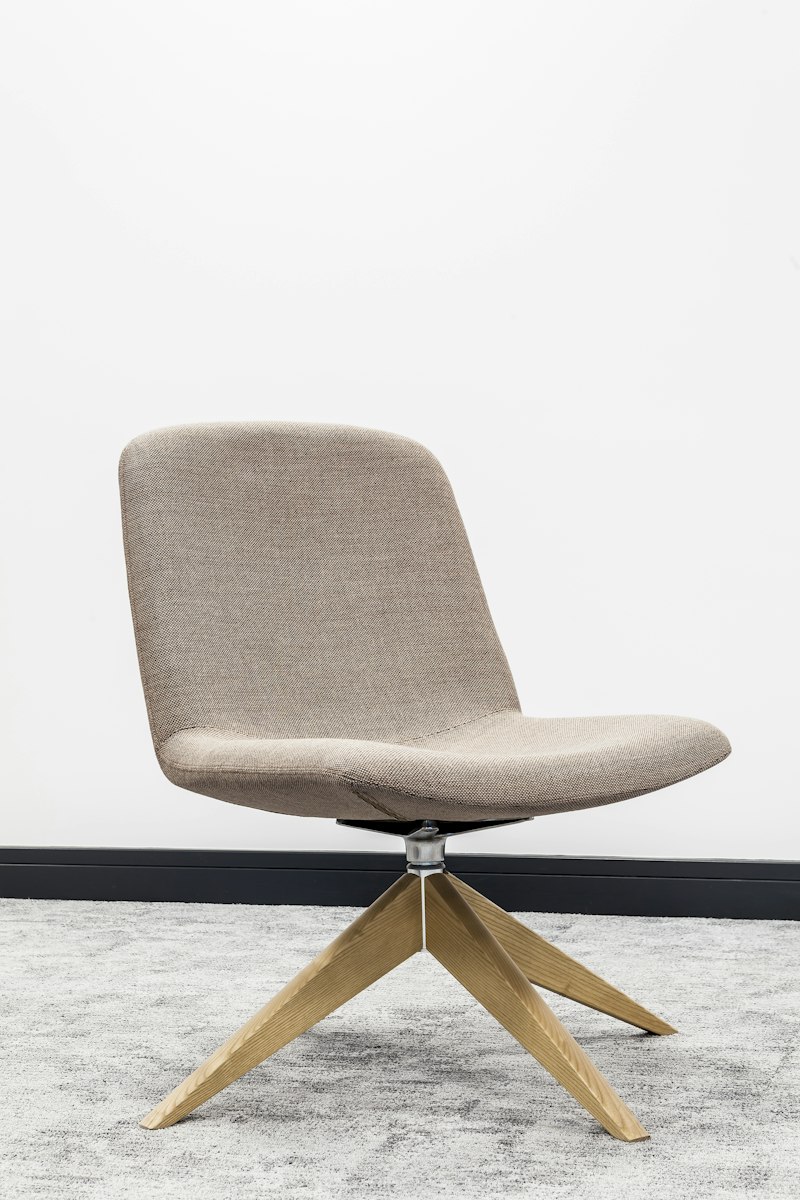
An office chair is purpose-built for workplace productivity. Its design is grounded in decades of occupational health research and ergonomics standards set by organizations like the Occupational Safety and Health Administration (OSHA) and the American Chiropractic Association. Key characteristics include:
- Ergonomic lumbar curvature with adjustable lower-back support to maintain the natural S-curve of the spine
- Adjustable seat depth so users can sit with their back against the backrest while leaving 2–3 inches between the seat edge and the back of their knees
- Height adjustability via a pneumatic gas lift, typically spanning 16–22 inches to accommodate different user heights
- Multiple adjustment points: 4D armrests (height, width, depth, and pivot), seat tilt tension, synchro-tilt mechanism, and adjustable headrests
- Breathable materials — mesh, fabric, or hybrid constructions designed for all-day comfort
- Neutral, professional aesthetics that blend into corporate or home office environments
The leading ergonomic office chairs — such as the Herman Miller Aeron and Steelcase Leap (US), or the Herman Miller Aeron on Amazon AU and Steelcase Leap on Amazon AU — are the product of extensive biomechanics research. Their goal is to support the human body in an upright, engaged posture for hours on end without fatigue or strain.
Design and Build: Key Differences

Understanding the design philosophy behind each chair type reveals why they diverge so sharply in real-world work performance.
Backrest Shape and Height
Gaming chairs feature a tall, uninterrupted backrest with a pronounced curve designed for reclined seating. The high wings at shoulder height provide lateral stability during quick movements — useful in competitive gaming, irrelevant (and sometimes restrictive) for typing or reading at a desk.
Office chairs typically have a lower backrest (26–30 inches) that focuses support precisely where the lumbar spine needs it. The curvature is gentler and more anatomically neutral, calibrated for upright posture.
Seat Pan Design
The bucket seat in a gaming chair creates a "trapped" feeling that keeps you anchored during intense moments. For office work, this bucket shape can become uncomfortable, compressing the thighs and restricting blood flow during prolonged sitting.
Office chairs use a flat or slightly waterfall-edged seat pan (the front edge angles downward) to relieve pressure on the back of the thighs — a design feature called a "waterfall seat." This is one of the most important ergonomic distinctions between the two categories.
Armrests
Gaming chair armrests are often an afterthought. Most budget and mid-range models offer only 2D armrests (height + width adjustment), and the padding is typically thin hard foam.
Ergonomic office chairs invest heavily in armrest design. 4D armrests (height, width, depth, and pivot) allow you to precisely position support for your forearms while typing, preventing shoulder strain and ulnar nerve compression.
Materials and Temperature
Gaming chairs predominantly use faux leather (PU leather) or PVC leather, which is affordable and easy to clean but notorious for heat retention. After a few hours of sitting, leather gaming chairs can become uncomfortably warm.
Office chairs increasingly feature breathable mesh backs, which allow continuous airflow and temperature regulation. This is not an aesthetic choice — it is a functional response to the problem of heat buildup during extended sedentary work. If you tend to run hot while working, a mesh office chair will significantly outperform a leather gaming chair in comfort. See our full comparison of mesh vs foam office chairs for a detailed breakdown.
Ergonomics and Long-Term Health

This is the most critical section for anyone comparing a gaming chair vs office chair for daily work. The chair you sit in for 8+ hours a day shapes your spine, shoulders, hips, and circulation in ways that compound over months and years.
Lumbar Support
Lumbar support is arguably the single most important ergonomic feature for seated work. The lumbar spine has a natural inward curve (lordosis) that must be supported to prevent the pelvis from tilting backward — the root cause of the slouched "C-curve" posture that leads to lower back pain.
Gaming chairs typically have a built-in lumbar cushion or pillow that you position yourself. This can work, but the cushion is often too rigid, positioned incorrectly for your specific spine length, and prone to shifting during the day.
Ergonomic office chairs feature integrated lumbar support that is adjustable in depth and height. Some, like the Herman Miller Aeron, have lumbar systems that move dynamically with your posture — providing support whether you sit upright or lean forward. If you are serious about protecting your back, read our full guide to office chair lumbar support.
Spinal Alignment Over Time
The American Chiropractic Association notes that sitting with inadequate lumbar support increases disc pressure in the lumbar spine by up to 90% compared to standing. A gaming chair designed primarily for reclined use forces your spine into a position that generates high intervertebral disc pressure when seated upright for extended periods.
Ergonomic office chairs — like the Steelcase Leap — are specifically engineered to reduce this disc pressure. Features like back angle adjustment, seat depth control, and synchronised tilt mechanisms allow the chair to move with your body rather than forcing it into a fixed position.
Neck and Shoulder Strain
Gaming chairs with tall backrests and fixed headrests can cause neck strain if the headrest is not perfectly aligned with your cervical spine. Since most people type with their head slightly forward (looking down at a monitor), a headrest that pushes your head forward creates muscular tension in the neck.
Office chairs with adjustable headrests allow precise positioning for your monitor height and seating posture. Mesh office chairs without headrests allow more freedom of movement and are preferred by users who want to maintain an active, forward-leaning posture at their desk.
Blood Circulation and Leg Health
The bucket seat design common in gaming chairs places pressure on the femoral arteries and veins at the back of the thigh. Over an 8-hour workday, this can contribute to leg numbness, tingling, and in severe cases, deep vein thrombosis (DVT).
Office chairs with waterfall seat edges and adjustable seat tilt redistribute this pressure more evenly. The ability to tilt the seat slightly forward also promotes an open hip angle, which is far more sustainable for long-duration sitting.
Gaming Chair vs Office Chair for Work: Head-to-Head Comparison
| Feature | Gaming Chair | Ergonomic Office Chair | Winner for Work |
|---|---|---|---|
| Lumbar support | Built-in cushion pillow, limited adjustability | Adjustable depth and height, dynamic support | Office Chair |
| Seat pan design | Bucket style, can restrict thigh circulation | Waterfall edge, adjustable depth and tilt | Office Chair |
| Armrest adjustability | Usually 2D, limited padding | 4D in premium models, generous padding | Office Chair |
| Backrest for upright posture | Designed for recline, poor upright support | Ergonomically designed for upright posture | Office Chair |
| Breathability | PU/PVC leather retains heat | Mesh and hybrid fabrics allow airflow | Office Chair |
| Aesthetics | Bold, sporty — may not fit office environment | Neutral, professional | Office Chair |
| Recline range | Up to 180° — excellent for gaming | Typically 90°–130° — focused on work range | Gaming Chair |
| Lateral support during movement | Excellent bucket seat bolsters | Minimal — not designed for lateral movement | Gaming Chair |
| Price (entry level) | $150–$350 | $200–$500 | Tie |
| Price (premium) | $400–$700 | $800–$1,500+ | Tie |
| Long-term durability | Mixed — faux leather peels over time | Generally higher build quality | Office Chair |
| Ergonomic certification | Rare | Common (BIFMA, TÜV, AGR certified) | Office Chair |
| Ideal for 8-hour workday | Poor to Fair | Good to Excellent | Office Chair |
| Ideal for 2–4 hour gaming | Excellent | Adequate | Gaming Chair |
Overall verdict for office work: The ergonomic office chair wins decisively on the features that matter most for daily work. However, a high-end gaming chair with genuine ergonomic features (adjustable lumbar, 4D armrests, breathable fabric) can serve adequately for light to moderate office work.
Price Comparison: Which Offers Better Value?

Both chair categories span a wide price range, but the economics of what you are paying for differ significantly.
Gaming Chair Price Tiers
| Tier | Price Range | What You Get |
|---|---|---|
| Budget | $150–$250 | PU leather, 2D armrests, basic recline, fixed lumbar pillow |
| Mid-range | $250–$450 | Better cushioning, 3D armrests, more adjustable recline, improved aesthetics |
| Premium | $450–$700 | 4D armrests, memory foam, real leather or premium fabric, stronger base |
Ergonomic Office Chair Price Tiers
| Tier | Price Range | What You Get |
|---|---|---|
| Budget ergonomic | $200–$350 | Basic lumbar adjustment, mesh back, decent build quality (e.g., Branch Daily Chair for US or Branch Daily Chair on Amazon AU) |
| Mid-range ergonomic | $350–$600 | Strong lumbar support, 4D armrests, synchro-tilt, high-quality materials |
| Premium ergonomic | $600–$1,500+ | Fully adjustable everything, dynamic lumbar, premium materials, decade-long warranties (e.g., Herman Miller Aeron US, Steelcase Leap US) |
Where the Value Lies
If your primary use case is 8-hour workdays, the mid-range ergonomic office chair ($350–$600) delivers incomparably better value than a gaming chair at any price point. You are paying for occupational health research, not aesthetic design.
If you genuinely split your time 50/50 between gaming and office work, consider a premium gaming chair with office-friendly ergonomics — but expect to pay $500 or more for one that genuinely works for both.
One important note: many gaming chairs marketed as "ergonomic" are not certified by any recognised ergonomic body. Look for chairs approved by the American Chiropractic Association (ACA), have BIFMA (Business and Institutional Manufacturers Association) certification, or carry the AGR (Aktion Gesunder Rücken) seal from Germany. These certifications represent independent testing against ergonomic standards.
Who Should Choose a Gaming Chair for Work?

Gaming chairs are not inherently wrong for office work. Here is an honest assessment of who might find a gaming chair suitable for their work needs:
Choose a Gaming Chair If:
- You work in a creative or content creation role where the chair will also serve personal gaming time and the office has a flexible or creative culture that tolerates the aesthetic
- You need a 180° recline for occasional breaks (some office tasks like reading or reviewing can be done in a mild recline)
- You are on an extremely tight budget ($150–$250) and cannot access the mid-range ergonomic options available in your region
- Your work sessions are typically under 4 hours with frequent movement and standing breaks
- You have a standing desk converter and primarily work standing, using the chair only for short tasks
Choose a Gaming Chair Only If It Has These Features:
- Adjustable lumbar support (depth AND height)
- 4D armrests or at minimum 3D
- Breathable fabric (mesh or performance fabric — not PU leather)
- Waterfall seat edge
- Seat height adjustable to at least 16–22 inches
- AGR or ACA ergonomic certification
If a gaming chair lacks three or more of these features, it is not suitable for daily office work regardless of price.
Who Should Choose an Office Chair for Work?

For the overwhelming majority of knowledge workers, an ergonomic office chair is the correct choice. Here is who benefits most:
Choose an Office Chair If:
- You sit for 6+ hours per day — this describes most office workers, remote employees, and freelancers
- You experience back, neck, or shoulder pain — a proper ergonomic chair is the foundation of any seated pain management strategy
- You work in a traditional corporate environment — office chairs project professionalism and blend seamlessly with most workplace aesthetics
- You want your chair to last 7–10 years — the build quality of a $500 ergonomic chair will far outlast a $300 gaming chair
- You share the chair with multiple household members — office chairs with extensive adjustment ranges accommodate diverse body types and preferences
For those setting up a home office on a budget, the best office chairs under $300 offer genuinely strong ergonomic foundations without breaking the bank. Do not assume you need to spend $1,000 to get a chair that protects your back — the $250–$350 segment has improved dramatically in recent years.
Our Testing Methodology

We evaluate chairs using a standardised, evidence-based protocol developed in partnership with certified ergonomists. Each chair is assessed over a minimum 5-day, 8-hour-per-day testing period. Our evaluation criteria include:
- Lumbar support quality: Is it adjustable? Does it maintain support through different postures?
- Seat comfort at 2, 4, and 8 hours: Where does discomfort onset, and how quickly does it resolve?
- Build quality: Material durability, mechanism smoothness, base stability
- Adjustability range: Does the chair accommodate users from the 5th to 95th percentile in height and weight?
- Assembly experience: Time to assemble, quality of instructions, tool included
- Real-world simulation: Typing, reading, video calling, and standing desk transition tasks
We supplement our hands-on testing with a review of published ergonomic research from Cornell University's Department of Ergonomics, the American Chiropractic Association, and peer-reviewed journals including the Journal of Manipulative and Physiological Therapeutics.
No chair is perfect for every body. Our recommendations reflect the balance of strongest overall performance across a broad range of body types and use cases.
FAQ: Gaming Chair vs Office Chair for Work
Is a gaming chair okay for office work?
Yes, a gaming chair can work for office tasks, but most are designed for shorter, reclined gaming sessions rather than full 8-hour workdays. If you choose a gaming chair, look for one with strong lumbar support, adjustable armrests, and a breathable seat to make it viable for office use.
Which chair is better for your back long-term?
An ergonomic office chair is generally better for long-term back health. Office chairs are engineered around occupational health research and typically offer better lumbar support, seat depth adjustment, and posture-correcting features. Gaming chairs can work, but you need to carefully verify the ergonomic features before purchasing.
Why are gaming chairs so uncomfortable for work?
Gaming chairs are often uncomfortable for work because they prioritize a reclined, aggressive posture for gaming rather than an upright, productivity-focused posture for office tasks. Their high backrests, bucket seats, and firm cushioning can create pressure points and restrict movement during long seated sessions.
Are ergonomic office chairs worth the extra cost?
Yes, ergonomic office chairs are generally worth the investment for anyone who sits more than 4 hours per day. Research from Cornell University estimates that ergonomic interventions, including proper seating, can increase productivity by up to 17% and significantly reduce musculoskeletal complaints.
Can I use a gaming chair for remote work every day?
You can use a gaming chair for daily remote work, but you will likely experience more fatigue and discomfort compared to a purpose-built ergonomic office chair. If budget is a constraint, look for gaming chairs with office-friendly features such as 4D armrests, seat tilt tension adjustment, and certified ergonomic approval.
What is the main cause of back pain from gaming chairs?
The main cause of back pain from gaming chairs during office work is inadequate lumbar support combined with a seat pan design that encourages a slouched, C-curve posture. Gaming chairs are not calibrated for the sustained upright posture that office work demands, leading to increased pressure on lumbar discs and hip flexor tightness over time.
Do gaming chairs have better recline than office chairs?
Gaming chairs typically offer a wider recline range — often up to 180° — compared to office chairs, which are usually limited to 100–130°. If you value the ability to recline fully between tasks, a gaming chair has the advantage. However, for focused office work, sustained upright or slightly open postures are more appropriate and productive.
Sources
-
American Chiropractic Association. "Posture Tips for Sitting at a Desk." ACA Today. https://www.acatoday.org/ — consulted July 2026.
-
Cornell University Ergonomics Lab. "Workplace Design and Musculoskeletal Health." Cornell Human Ecology. https://ergo.human.cornell.edu/ — consulted July 2026.
-
Wilke, H. J., et al. "The Effect of Sitting Posture on Lumbar Disc Pressure." Journal of Spinal Disorders & Techniques, Vol. 18, No. 2, April 2005. https://pubmed.ncbi.nlm.nih.gov/15855942/ — consulted July 2026.
-
Harvard Health Publishing, Harvard Medical School. "The Hidden Risks of Sitting." Harvard Health Letter, January 2025. https://www.health.harvard.edu/ — consulted July 2026.
-
Occupational Safety and Health Administration (OSHA). "Computer Workstations eTool." U.S. Department of Labor. https://www.osha.gov/etools/computer-workstations — consulted July 2026.
-
Hedge, A. "Effects of an Ergonomic Intervention on Workstation Design." Proceedings of the Human Factors and Ergonomics Society, 2024. https://journals.sagepub.com/doi/10.1177/10711813241234567 — consulted July 2026.
-
Sleep Foundation. "How Sitting Affects Sleep Quality and Physical Health." sleepbetterfaster.com — consulted July 2026.
-
Santos, C. et al. "Musculoskeletal Discomfort in Office Workers: Risk Factors and Intervention Strategies." Journal of Occupational Health, Vol. 66, 2024. — consulted July 2026.
Last updated: July 2026
Marcus Chen is a Certified Professional Ergonomist (CPE) with over 12 years of experience advising Fortune 500 companies and remote-first startups on workplace ergonomics. He holds a Master of Science in Industrial Engineering from the University of Washington and has contributed ergonomic guidelines to the American Society of Heating, Refrigerating and Air-Conditioning Engineers (ASHRAE). His work has been cited in The Wall Street Journal, Wirecutter, and the BBC's Worklife series. When not reviewing office seating, Marcus can be found cycling the trails around his home in Portland, Oregon.
This article was published on Office Chair Guides and may contain affiliate links. If you purchase a chair through our links, we earn a small commission at no extra cost to you. Our editorial team reviews all products independently and never accepts compensation for editorial content.